31 Customer Effort Score Survey Questions
Explore 25 customer effort score survey questions with practical sample questions, examples, and insights to improve customer satisfaction.
When you want customers to stay, buy again, and actually enjoy working with you, low-effort experiences win. Customer Effort Score, or CES, measures how easy you make each interaction, whether you are reviewing customer effort score questions for inside sales, refining a customer effort score survey question, or comparing a ceb customer effort score question.
Here’s the thing: the best CES surveys do more than collect numbers. This guide will walk you through practical use cases, customer effort score question example ideas, customer effort score sample questions, and smart ways to write and act on customer effort score questions examples without making your survey feel like homework. If you need an online survey tool, you can build and share these questions quickly.
Sample questions
What does a customer effort score survey actually measure?
How is a customer effort score survey question different from CSAT or NPS?
What is the classic CEB customer effort score question format?
Which scale should you use for customer effort score questions for inside sales?
What Is a Customer Effort Score Survey and How Does It Work?
A customer effort score survey measures how easy or hard it was for your customer to get something done, like solving a problem, completing a purchase, or moving a deal forward.
CES helps you spot friction fast.
That is why customer effort score questions for inside sales are so useful. They show you where buyers get stuck before "maybe later" turns into "never mind."
Why & When to Use
The classic idea behind CES comes from the well-known ceb customer effort score question, which asks customers to rate how much they agree with a statement about the company making the experience easy.
CES is not the same as CSAT or NPS.
CSAT tells you how satisfied someone felt.
NPS tells you how likely they are to recommend you.
CES tells you how hard they had to work.
Here’s the thing: people can be satisfied and still feel the process was clunky. That is the business version of smiling while carrying six grocery bags.
Common formats for a customer effort score survey question include:
1 to 5 scales
1 to 7 scales
agreement scales such as strongly disagree to strongly agree
Wording consistency matters if you want reliable trends over time. If you switch between "easy" and "effort" framings without a clear reason, your customer effort score sample questions become harder to compare.
Common CES Question Format
A classic customer effort score question example usually follows a simple structure: ask the customer how easy the company made it to complete a specific task.
Before you build more customer effort score questions examples, pick one framing and stick with it.
"The company made it easy for me to resolve my issue."
"It took a lot of effort to handle my request."
Plus, do not mix both styles in the same program unless you have a strong testing reason. That keeps your benchmarks clean and prepares you for the survey templates ahead.
Sample questions
How easy was it to complete your purchase today?
The checkout process made it easy for me to complete my order.
How much effort did you personally have to put forth to finalize your purchase?
How easy was it to find the information you needed before buying?
How easy was it to resolve any issue that came up during checkout?
Research from more than 75,000 customer interactions found reducing effort predicts loyalty better than delight, supporting simple CES questions about ease of task completion (source)
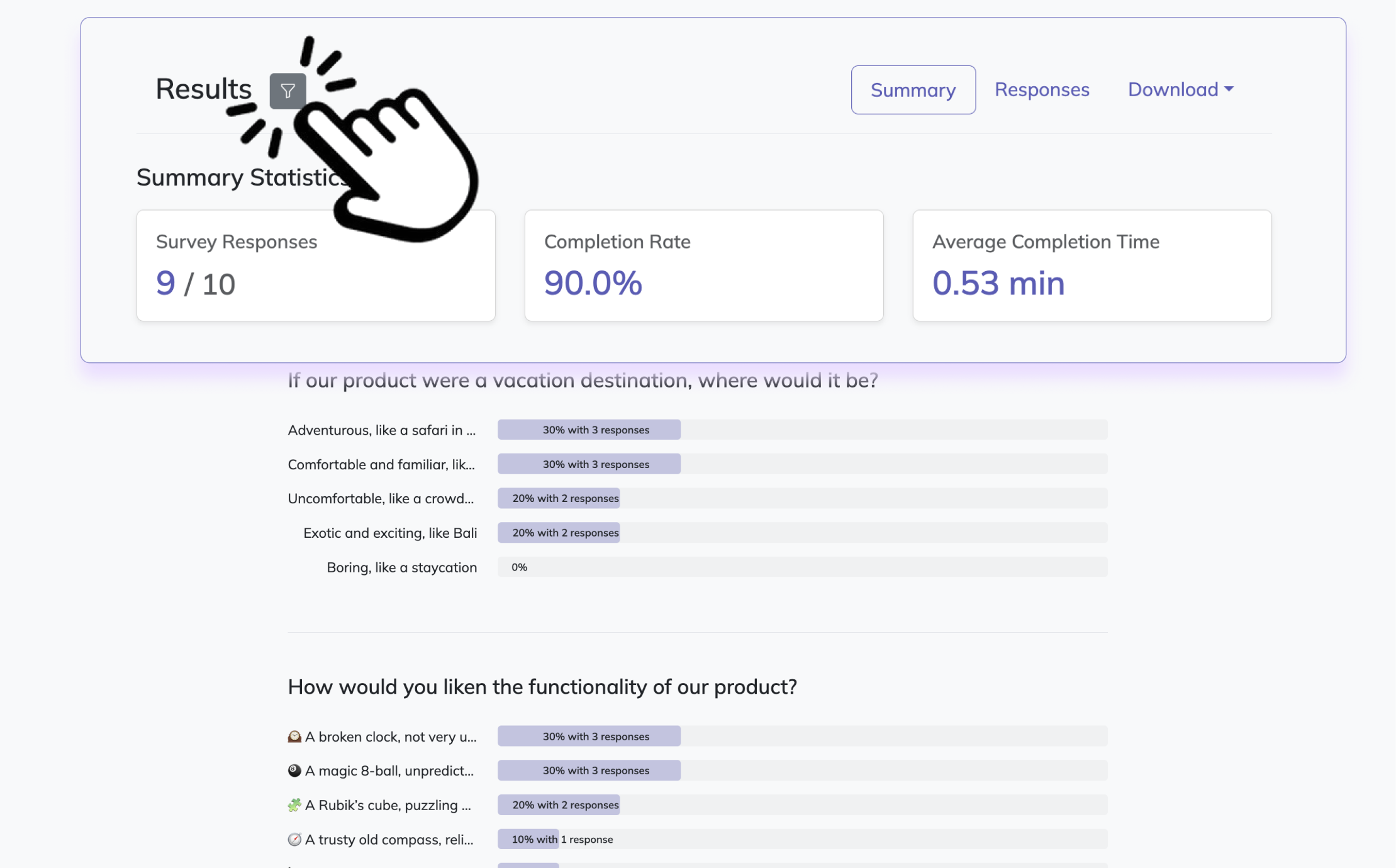
Create a customer effort score survey in HeySurvey in 3 easy steps
Create a new survey
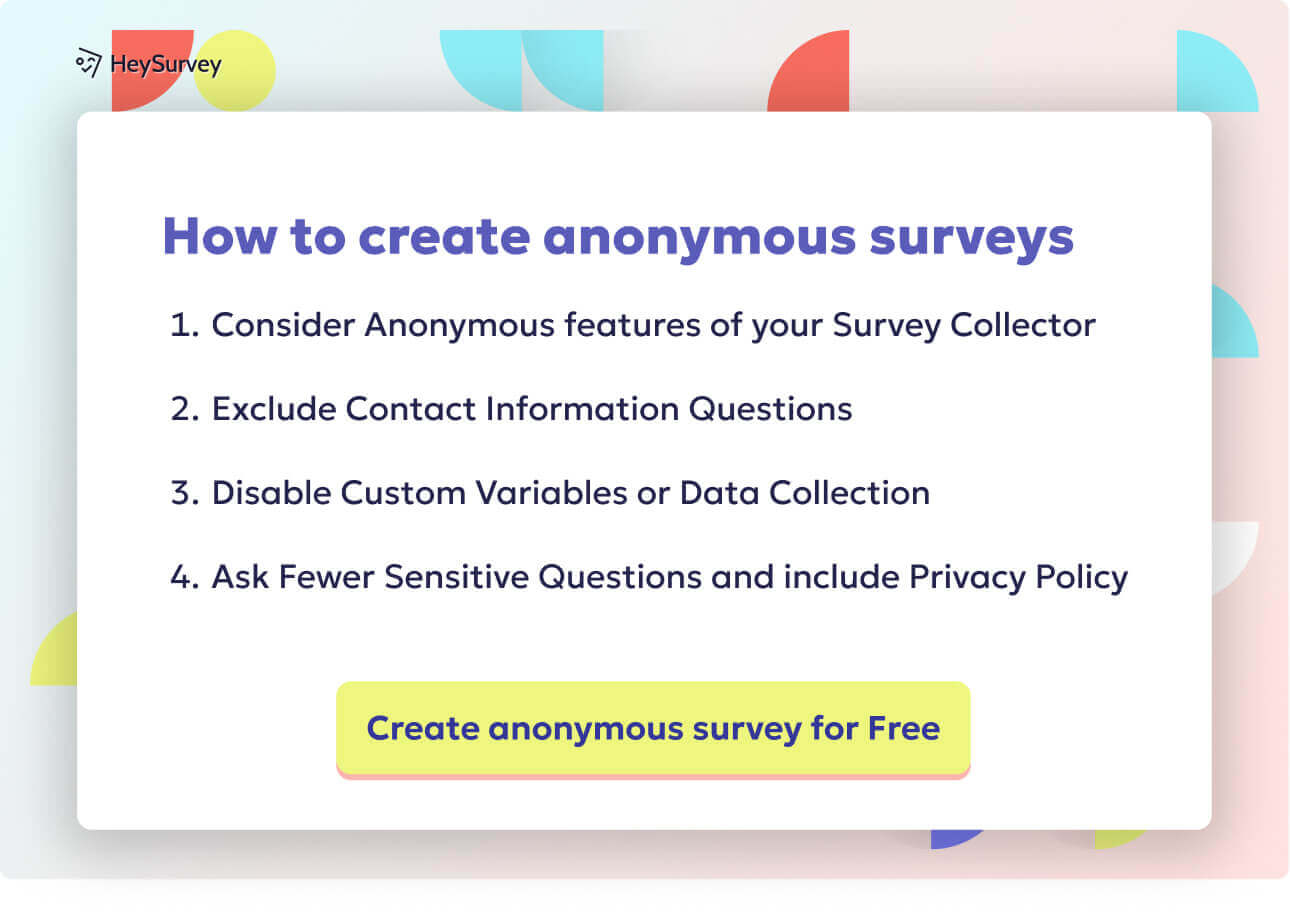
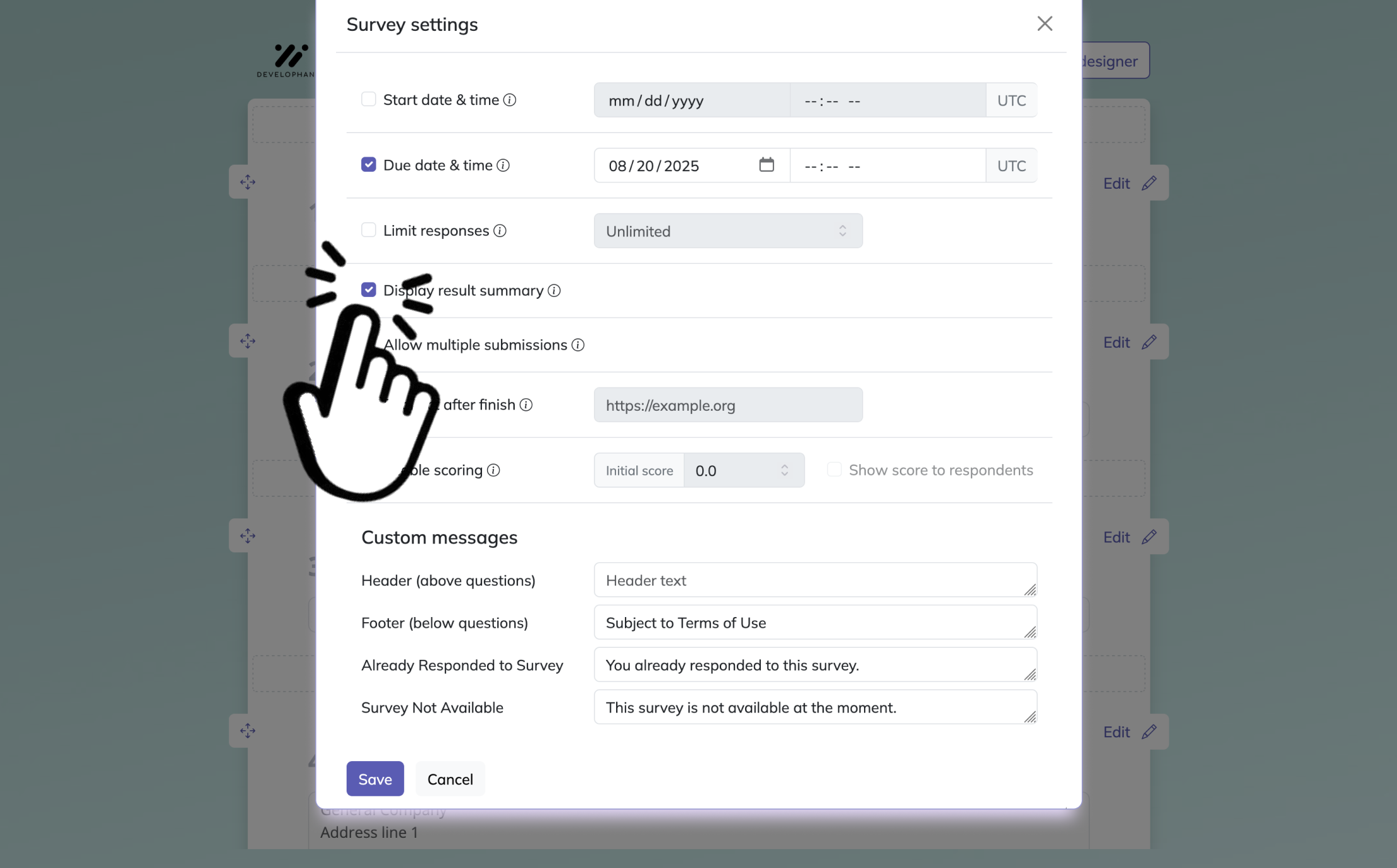
Click the button below to open a template, or start from an empty sheet if you want to build from scratch. You can use HeySurvey without an account, but you’ll need one to publish and view responses. Give your survey a clear internal name and, if you like, add your logo and basic settings.Add questions
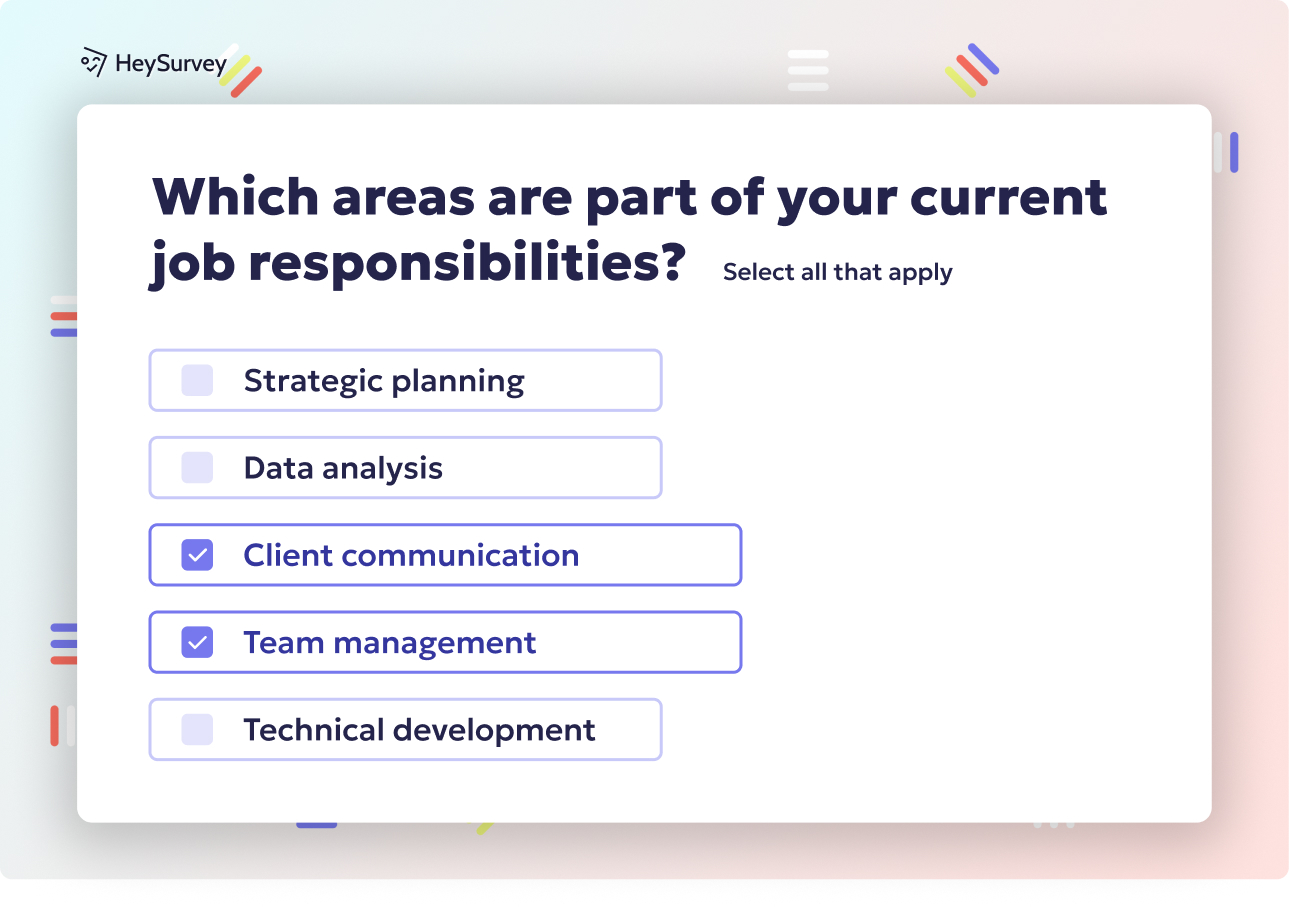
Add a Scale question for your customer effort score, using a simple range like 1–5 or 0–10. Label the ends clearly, for example “Very easy” and “Very difficult”. You can also add a follow-up Text question such as “What made this experience easy or difficult?” to collect helpful feedback. Mark questions as required if needed.Publish survey
Preview your survey to check how it looks, then click Publish when you’re ready. HeySurvey will generate a shareable link you can send to customers. After publishing, you can track responses and review results anytime from your account.
Post-Purchase Customer Effort Score Survey Questions
Catch conversion friction while it is still fresh.
Post-purchase customer effort score questions for inside sales work best right after a buyer completes a key action, like checkout, order confirmation, financing approval, or subscription signup.
Here’s the thing: this is the perfect moment to use a customer effort score survey question because the experience is still clear in your buyer’s mind. If you wait too long, details blur and your feedback gets fluffier than a pillow commercial.
Why & When to Use
Use these customer effort score questions for inside sales when you want to uncover friction in the final stretch of the buying journey.
They are especially useful for spotting issues like:
unclear pricing
clunky checkout steps
payment hiccups
missing product or plan details
last-minute form or financing confusion
Plus, send the survey immediately after purchase or within 24 hours for the strongest response quality. That timing makes each customer effort score question example more accurate and more actionable.
On top of that, segment responses by first-time buyers versus repeat customers.
That helps you see whether friction is caused by onboarding gaps or a broken process that annoys everyone equally.
Pair your customer effort score sample questions with cart abandonment, conversion rate, and payment failure data too. A solid ceb customer effort score question tells you how hard the purchase felt, and your funnel data tells you where the pain showed up.
Sample questions
How easy was it to get the help you needed today?
The company made it easy for me to handle my issue.
How much effort did you have to put in to resolve your problem?
How easy was it to reach the right support person or resource?
How easy was it to understand the solution provided?
Research on Customer Effort Score shows loyalty is driven more by reducing customer effort than by delighting customers, supporting immediate post-purchase CES questions to find friction (source).
Customer Support CES Survey Questions
Support is where effort gets remembered fast.
Customer support is one of the best places to use customer effort score questions for inside sales, especially after live chat, email support, phone support, help desk tickets, or complaint resolution.
Here’s the thing: when someone needs help, they are not grading your brand on charm alone. They are judging how hard it was to get an answer without repeating themselves like a slightly irritated parrot.
Why & When to Use
Use a customer effort score survey question right after a support case closes so the experience is still fresh and specific.
This is where CES really shines because support interactions often reveal whether your team made customers work too hard to explain the issue, chase updates, or find the right person.
A strong ceb customer effort score question helps you measure effort across moments like:
getting routed to the correct support channel
repeating account details or problem history
waiting for follow-up or clarification
understanding the final fix or next step
Plus, compare customer effort score questions examples across channels like chat, phone, and email.
On top of that, break results down by issue type too, such as billing, technical problems, account access, or returns. That way, your customer effort score question example shows whether the friction comes from the support channel, the problem itself, or both.
Sample questions
How easy was it to get started with our product or service?
The setup process was straightforward and easy to complete.
How much effort did it take to complete your initial onboarding?
How easy was it to find the guidance you needed during setup?
How easy was it to complete your first key task successfully?
Onboarding and Setup CES Survey Questions
First impressions shape long-term effort fast.
Onboarding is one of the smartest places to use customer effort score questions for inside sales because it is a high-risk moment for confusion, drop-off, and churn.
Here’s the thing: if setup feels clunky, customers start wondering whether the whole relationship will feel like assembling furniture with one mystery screw left over.
Why & When to Use
Use a customer effort score survey question after a clear milestone, like account setup, product activation, implementation progress, training completion, or a first-use experience.
Do not wait until onboarding fully ends if that takes weeks, because the most useful feedback often comes right after one specific step.
A good ceb customer effort score question works especially well for:
SaaS platforms with account configuration
service businesses with kickoff or implementation steps
membership platforms with guided setup
products with a learning curve before first value
Plus, separate technical setup effort from training effort so your customer effort score question example gives cleaner insights.
For example, one customer may find installation easy but training confusing, while another may breeze through training and get stuck during activation.
On top of that, customer effort score sample questions help you spot friction before it turns into churn, which makes onboarding one of the most practical stages for customer effort score questions examples.
Sample questions
How easy was it to find what you were looking for today?
The information on our website made it easy for me to complete my task.
How much effort did you need to use our self-service resources successfully?
How easy was it to navigate to the right page or answer?
How easy was it to solve your issue without contacting support?
Research of 75,000+ service interactions found reducing customer effort predicts loyalty better than delight, supporting CES questions right after onboarding steps (source).
Website and Self-Service CES Survey Questions
Your website should feel like a shortcut, not a scavenger hunt.
Website and self-service moments are perfect for customer effort score questions for inside sales because they show you where customers hit friction before they ever contact your team.
Here’s the thing: if someone cannot find an answer, update billing, or track an order quickly, they do not just feel annoyed, they feel like your digital experience sent them on a side quest nobody asked for.
Why & When to Use
Use a customer effort score survey question right after a specific action, like a help center visit, FAQ search, account portal task, knowledge base session, or completed website task.
That timing makes your ceb customer effort score question more useful because the effort is still fresh, not blurred by everything that happened later.
Attach your customer effort score question example to clear tasks such as:
finding an article
updating billing information
tracking an order
locating account settings
solving an issue without support
Plus, self-service feedback can uncover content gaps, weak search results, confusing labels, and navigation issues that quietly push customers toward support tickets.
On top of that, review customer effort score sample questions by page path, device type, and task intent so you can see whether the struggle came from the content, the layout, or the goal itself.
That is where customer effort score questions examples become genuinely useful, because you stop guessing and start fixing the exact digital friction slowing people down.
Sample questions
How easy was it to get the information you needed from our sales team?
The sales process made it easy for me to evaluate our options.
How much effort did you have to put into moving this conversation forward?
How easy was it to understand pricing, timelines, or next steps?
How easy was it to schedule meetings and get timely follow-up?
Inside Sales and Pre-Sales CES Survey Questions
A smooth sales process should feel clear and easy, not like calendar Tetris with extra jargon.
Customer effort score questions for inside sales help you spot where buying starts to feel harder than it should.
Here’s the thing: even interested prospects can stall when scheduling is messy, follow-up is slow, proposals are fuzzy, or next steps sound like a riddle wrapped in a PDF.
Why & When to Use
Use a customer effort score survey question right after demos, qualification calls, proposal reviews, pricing discussions, or the handoff from SDR to AE.
That timing makes your ceb customer effort score question more accurate because the effort is still tied to a specific interaction, not a vague overall impression.
CES is especially useful when you want to uncover friction in:
booking meetings
getting prompt follow-up
understanding proposals
comparing options
knowing what happens next
Plus, customer effort score questions for inside sales work well for both won and lost opportunities, as long as the outreach feels appropriate and the feedback request stays brief.
On top of that, in B2B sales, one buyer is rarely the only buyer, so customer effort score questions examples can reveal friction across multi-stakeholder journeys, approvals, and internal alignment.
A strong customer effort score question example helps you learn whether the prospect struggled with your process, your communication, or simply too many moving parts.
Sample questions
How easy was it to renew, reorder, or upgrade today?
The process made it easy for me to continue doing business with your company.
How much effort did it take to complete this renewal or repeat purchase?
How easy was it to understand the options available to you?
How easy was it to make changes before confirming your decision?
Renewal, Repurchase, and Loyalty CES Survey Questions
Loyal customers should not need hiking boots to get through a simple renewal.
Customer effort score questions for inside sales are not just for first-time buying moments.
They also help you measure whether renewals, reorders, and upgrades feel smooth when someone is already ready to stay with you.
Why & When to Use
Use a customer effort score survey question right after a subscription renewal, contract extension, repeat purchase, reordering flow, or plan upgrade.
That makes this type of ceb customer effort score question especially useful for subscription businesses, ecommerce brands, and account-managed companies that want loyalty actions to feel easy, not oddly exhausting.
Here’s the thing: repeat business can look healthy on paper while the actual process still feels clunky.
High loyalty can hide high-effort steps, especially when customers tolerate friction because switching feels like even more work.
Customer effort score questions examples are helpful for spotting friction in:
renewal workflows
reorder steps
upgrade paths
change requests before purchase confirmation
understanding plan or product options
Plus, compare scores between manual and automated renewal experiences.
A solid customer effort score question example can quickly show whether one path feels personal and helpful, or just slower with extra clicks and a side quest.
On top of that, customer effort score sample questions help you improve retention by removing effort before loyalty starts to wobble.
Sample questions
Which writing practices make customer effort score questions for inside sales easier to trust and compare over time?
How can you improve a customer effort score survey question without changing what it measures?
What should you avoid when using a ceb customer effort score question across different customer journeys?
Why should you pair CES scores with comments and operational data?
When do customer effort score sample questions help, and when do they hurt?
Best Practices for Writing Customer Effort Score Survey Questions
Good CES questions are simple on purpose, not simple by accident.
If you want useful data, your customer effort score survey question should measure one specific task, use plain wording, and arrive soon after the interaction.
Plus, keep your scale and phrasing consistent over time so your benchmarks mean something instead of doing cartwheels.
Why & When to Use
Use these best practices when writing customer effort score questions for inside sales, support, onboarding, renewals, or any step where you want to understand how hard something felt for the customer.
A strong ceb customer effort score question helps you spot friction fast, but only if the wording, timing, and survey setup match the real experience you are measuring.
Dos
Use one clear task or interaction per survey.
Keep wording simple, specific, and neutral.
Send surveys close to the interaction.
Use a consistent scale and phrasing for benchmarking.
Add one optional open-text follow-up asking what made it easy or difficult.
Segment results by journey stage, channel, and customer type.
Use customer effort score question examples as inspiration, then adapt them to your context.
Test small wording changes before rolling them out broadly.
Don’ts
Do not combine multiple experiences into one question.
Do not ask leading questions that nudge positive answers.
Do not stuff CES with too many extra metrics.
Do not send surveys long after the interaction.
Do not switch between “effort” and “ease” wording inconsistently.
Do not review scores without comments and operational data.
Do not copy generic customer effort score questions examples that do not fit the actual task.
Do not misread results because of weak timing, long surveys, or messy scale design.
Sample questions
How do you prioritize customer effort score questions for inside sales findings so your team fixes the right problems first?
What themes should you look for when reviewing a customer effort score survey question and open-text feedback?
How can a ceb customer effort score question help reduce churn risk and improve core customer journeys?
What should happen after you identify high-effort moments in inside sales or onboarding?
How often should you reuse the same customer effort score survey question to track improvement?
How to Turn Customer Effort Score Insights Into Action
The real win is not spotting friction, but removing it before it multiplies.
Here’s the thing, customer effort score questions for inside sales only matter if the results lead to smarter decisions, faster fixes, and an easier path for your customers.
Start by finding the friction points that matter most, not just the loudest ones. Look at high-effort interactions through the lens of volume, revenue impact, churn risk, and how often the issue shows up, because one tiny annoyance repeated 500 times is no longer tiny. Hello, spreadsheet drama.
Why & When to Use
Use this approach when your customer effort score survey question starts revealing patterns and you need to decide what to fix first and how to prove progress.
A ceb customer effort score question becomes much more useful when you group feedback into themes and connect it to action across teams.
Group feedback into themes like delays, confusion, repetition, unclear policies, and broken handoffs.
Prioritize fixes that affect core journeys first, such as demo booking, onboarding, support resolution, or renewal.
Assign an owner and timeline for each fix.
Improve scripts, workflows, onboarding steps, help content, or product design based on what customers struggled with.
Reuse the same customer effort score question example over time and compare before-and-after results.
On top of that, the best customer effort score sample questions do not just measure effort. They help you reduce it, which is the whole point.
Related Surveys
29 Social Media Survey Questions
Explore 25 social media survey questions with practical sample prompts to help gather insights on...
31 Job Satisfaction Survey Questions
Explore **25 job satisfaction survey questions** with sample prompts to improve employee feedback...
29 Quantitative Survey Questions Guide
Explore 25 quantitative survey questions with sample questions, examples, and tips to build effec...