29 Social Media Survey Questions
Discover 25 social media survey questions to boost engagement, gain insights, and improve your strategy with this helpful article.
Want better posts, sharper insights, and fewer guess-what-the-audience-wants moments? Social media questions are the prompts you use in social media surveys to learn what your audience likes, needs, and skips, so you can improve content planning, customer feedback, audience research, and your social media marketing strategy.
Here’s the thing: the best social media surveys start with a clear goal, use the right question type, and actually lead to action. In this guide, you’ll find practical questions for social media engagement, smart social media survey templates, and question sets that fit different business needs, all easier to build with an online survey tool.
Sample questions
Which age range best describes you?
Which industry or profession do you work in?
What best describes your current role or job level?
Which social media platforms do you use most often?
Where do you usually discover new brands, products, or creators online?
Audience Demographic and Profile Survey Questions
Know who you’re actually talking to
Why & When to Use
Audience demographic and profile social media questions help you understand who is following you across owned media and social platforms, not just how many people clicked a post. That means your social media surveys can do more than collect data, they can sharpen your messaging and save you from posting into the void like a very determined raccoon.
Use this type of social media survey form when you are:
launching a new account
refining audience personas
validating targeting assumptions
updating a social media management questionnaire
trying to decide which questions for social media engagement fit each audience segment
Here’s the thing: demographic questions work best when they stay relevant and minimal. If your survey feels like a tax form, people bail fast.
Balance standard profile questions with platform behavior questions so your social media survey templates give you both identity and context. Ask who your audience is, then ask where they spend time and how they discover brands.
On top of that, make sensitive fields optional when possible, especially for age, role level, or industry details. This helps reduce drop-off and keeps your social media surveys feeling respectful.
Plus, once responses come in, segment results by platform, customer type, or campaign source. That is often where the most useful survey facebook questions and broader audience insights start to pop.
Sample questions
What type of social media content do you find most useful from brands like ours?
Which post format do you prefer: short videos, carousels, images, stories, or text posts?
How often would you like to see us post on social media?
Which topics would you like us to cover more often?
What makes you most likely to stop scrolling and engage with a post?
Demographic questions should usually appear near a survey’s end, since asking age, income, or education early can increase drop-off and bias later answers (Pew Research Center).

How to create a social media survey in HeySurvey
Create a new survey
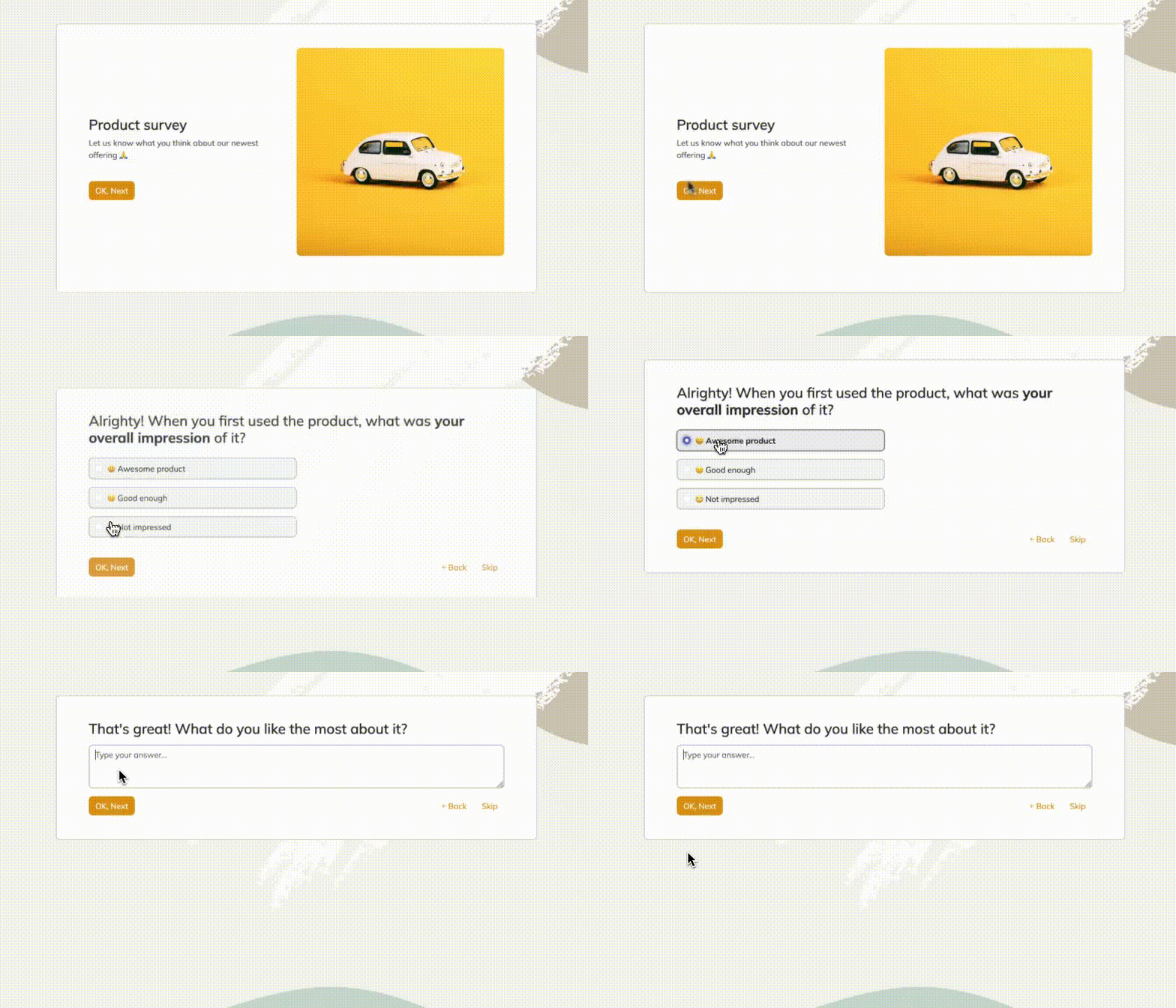
Start by opening a template with the button below, or begin from an empty sheet if you want to build your survey from scratch. You do not need an account to start, but you will need one later to publish and view responses. In the survey editor, you can rename the survey and adjust basic settings.Add your questions
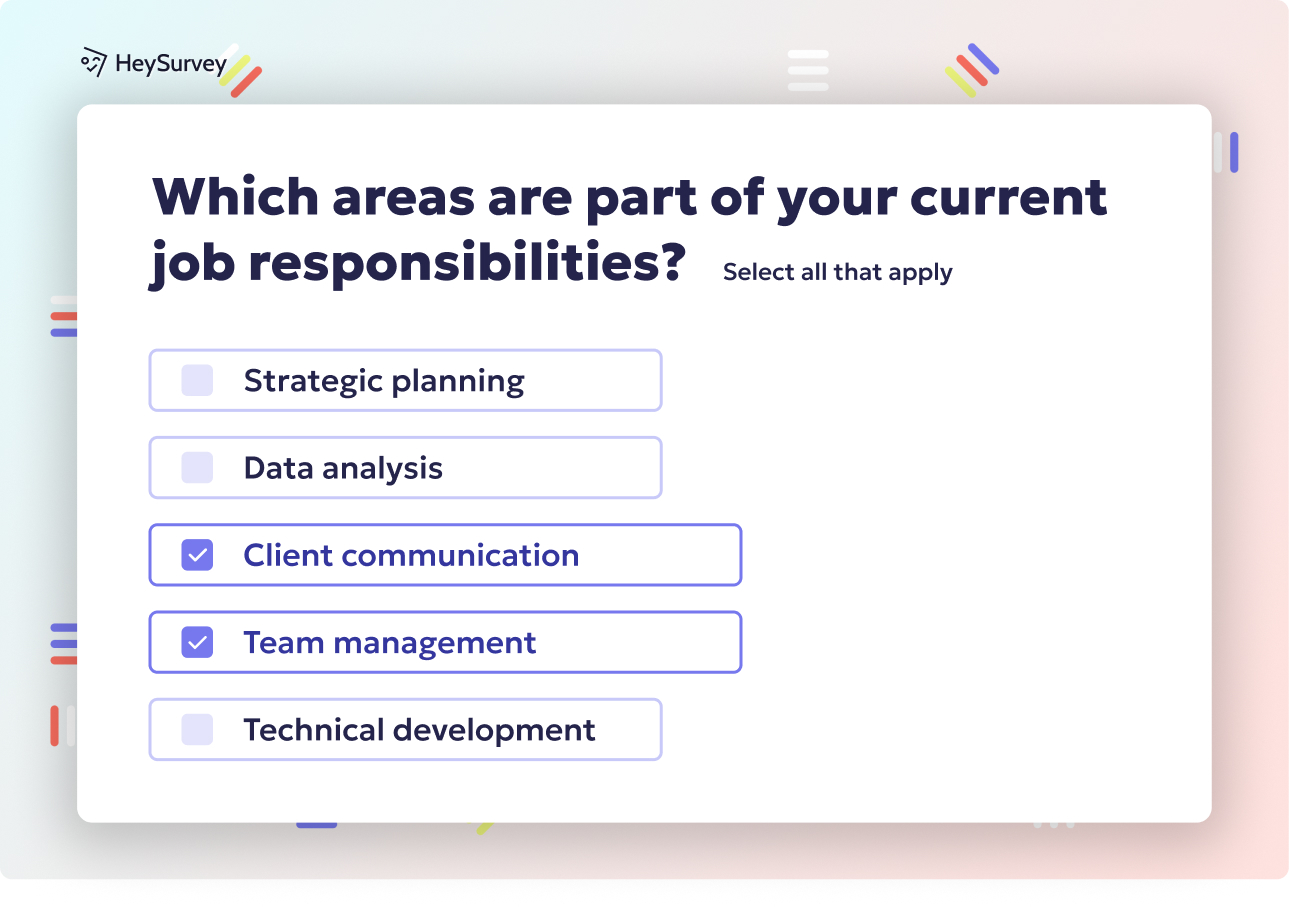
Click Add Question to include the items you need for a social media survey. Use Choice questions for multiple-choice answers, Scale or Emoji Rating for satisfaction and engagement, and Text questions for open comments. You can mark questions as required and add more as needed. If you’re looking for an easy online survey tool, this makes it simple to get started.Publish your survey
When your survey looks ready, preview it first to check the flow and design. Then click Publish to generate a shareable link. You can send that link to your audience and start collecting responses right away.
Content Preference Survey Questions
Learn what your audience actually wants more of
Why & When to Use
Content preference social media questions help you uncover what your audience wants to see, save, share, and engage with most. That makes your social media surveys useful for shaping a smarter content calendar instead of relying on wild guesses and crossed fingers.
Use these social media questions when you want to:
plan future posts with more confidence
improve reach and engagement
build better questions for social media engagement
test which formats and topics deserve more attention
get clearer direction if you need help creating survey content for owned media channels
Here’s the thing: what people say they want and what they actually engage with are not always the same. Someone may ask for educational posts, then enthusiastically like every behind-the-scenes photo like it is celebrity gossip.
That is why social media surveys work best when paired with analytics from your top-performing posts. Compare survey answers with real behavior across short videos, carousels, stories, user-generated content, promotions, and helpful how-to posts.
Plus, this kind of social media survey form can help you spot patterns fast. If your audience keeps asking for practical tips but mostly shares relatable content, your social media survey templates should guide you toward a better mix, not just more of the same.
Sample questions
How would you describe our brand based on our social media presence?
What three words come to mind when you see our content online?
How trustworthy does our brand feel on social media?
How well do our social media posts reflect what our brand stands for?
Compared with similar brands, how memorable is our social media presence?
Research suggests survey-reported social media preferences should be validated against actual engagement behavior, since platform interactions often vary by context and content type (source).
Brand Perception and Sentiment Survey Questions
See how your audience feels, not just how often they click
Why & When to Use
Brand perception and sentiment social media questions help you measure how people feel about your brand, message, reputation, and overall online presence. That makes these social media surveys especially useful when engagement numbers look fine, but you want to know whether people actually trust you, remember you, or mentally file you under "pretty solid" or "hmm, not sure."
Use these questions for social media engagement and brand insight when you want to:
check audience sentiment after a campaign or product launch
understand reactions to a rebrand or updated messaging
respond to reputation bumps, praise, or public feedback
evaluate a major shift in your social media strategy
support broader social media questions tied to trust, credibility, and brand positioning
Here’s the thing: likes can be loud, but sentiment is sneaky. A post can perform well and still leave your brand feeling as memorable as a soggy paper napkin.
Plus, this is one of the smartest times to use a mix of rating-scale and free-response prompts in your social media survey form. Rating questions give you trackable benchmarks, while open-ended responses reveal recurring themes, emotional language, and the little patterns you would otherwise miss.
On top of that, compare results over time instead of treating them like a one-and-done snapshot. Strong social media survey templates help you spot whether trust, clarity, and brand recall are actually improving.
Sample questions
How satisfied are you with your overall experience with our brand on social media?
How helpful is our team when responding to comments or direct messages?
Have our social media posts influenced your decision to buy from us?
What do you wish we did better on social media?
How likely are you to recommend following our brand on social media to others?
Customer Satisfaction and Feedback Survey Questions
Turn everyday interactions into smarter customer experience wins
Why & When to Use
Customer satisfaction social media questions help you collect direct feedback about service quality, response time, tone, clarity, and the overall experience people have with your brand on social platforms.
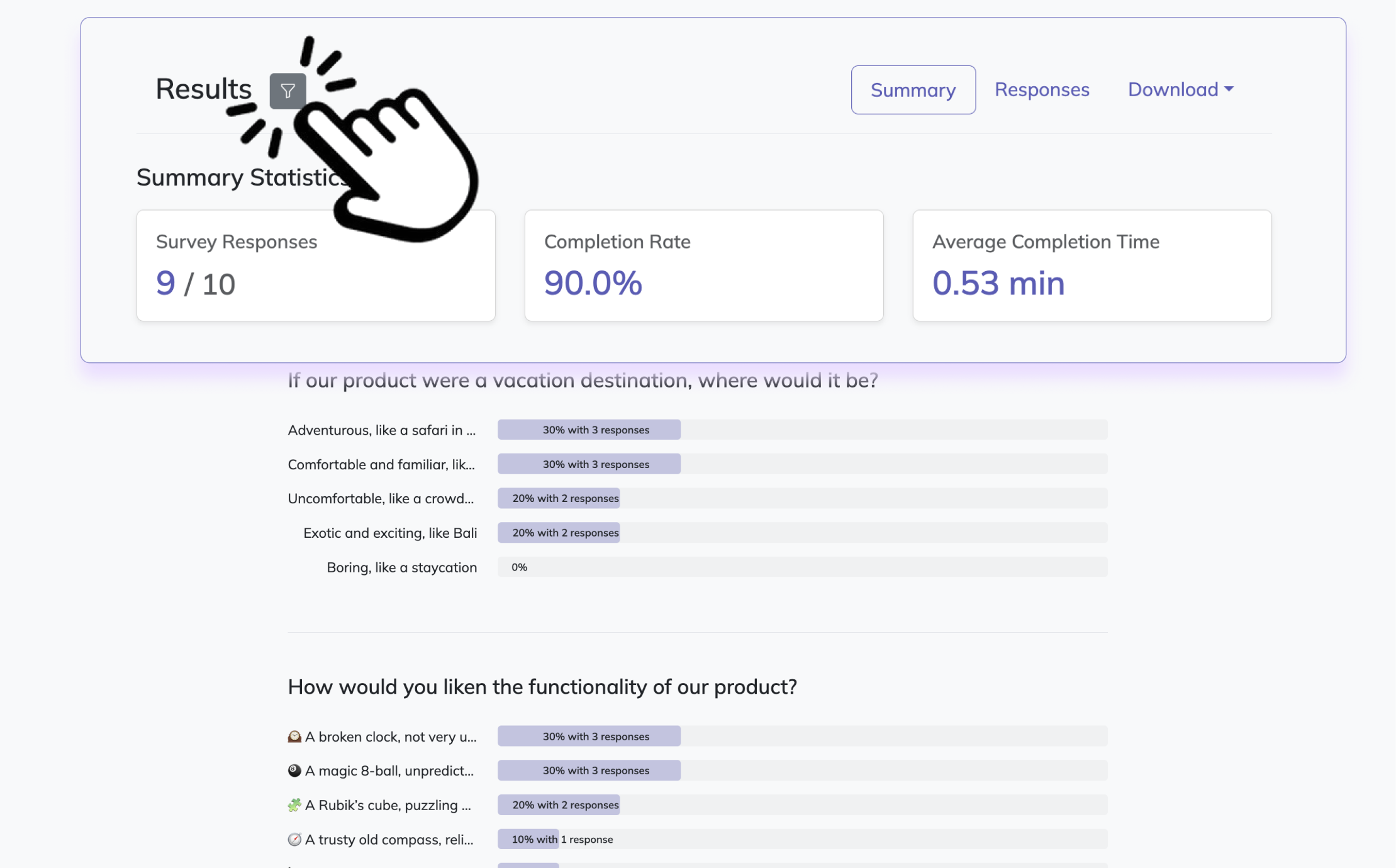
These social media surveys work especially well after key moments like:
customer support interactions in comments or DMs
purchases influenced by social content
live events, launches, or community campaigns
follow-up moments after a question, complaint, or product update
Here’s the thing: people tend to give the clearest feedback right after the interaction happened, not three weeks later when life got busy and the details vanished into the void.
That is why post-interaction surveys are so useful in a social media survey form. You get fresher answers, more specific feedback, and a better read on whether your team felt helpful, clear, and human.
Plus, this category is perfect if you need help creating survey content for owned media that actually improves customer experience instead of just filling a spreadsheet with polite shrugs.
Use these questions for social media engagement when you want to:
spot gaps in support quality or unclear messaging
improve response tone and speed across channels
learn whether social content helps drive buying decisions
connect feedback to retention, loyalty, and stronger support outcomes
On top of that, these social media questions can show you where small fixes create big loyalty. Sometimes one better reply beats ten flashy posts, which is both humbling and a little hilarious.
Sample questions
What makes you most likely to comment on a social media post?
Which kinds of posts make you want to share content with others?
Do you prefer brands that post informative, entertaining, or interactive content?
What would encourage you to participate more in polls, Q&As, or discussions?
How connected do you feel to our online community?
Research shows social media complaint satisfaction rises with faster first and final brand responses; consumers expect replies within 1–3 hours on Twitter and 3–6 on Facebook (source).
Social Media Engagement and Community Survey Questions
Find out what actually gets people to join in, not just scroll by
Why & When to Use
These social media surveys help you understand what drives likes, comments, shares, saves, replies, and real community participation across your channels.
Here’s the thing: not all engagement means the same thing. A like or save is often passive engagement, while comments, poll responses, shares, and discussion replies are active engagement that show stronger interest and connection.
This survey type is especially useful when engagement is slipping, community-building is a top goal, or you want more two-way conversation instead of broadcasting into the algorithm abyss.
Readers searching for questions for social media, social media questions, or questions for social media engagement will get the most value from this section because it focuses on what prompts people to actually interact.
Use these questions when you want to learn what influences participation, including:
relevance of the topic to your audience
timing of the post
tone and personality of your content
incentives like giveaways, recognition, or exclusives
a stronger sense of belonging in your community
Plus, rhetorical social media style prompts can spark replies fast, but they work best when used with intention. Ask too many, and your feed starts sounding like it drank three coffees and wants answers immediately.
Sample questions
What are your primary goals for social media over the next 6 to 12 months?
Which platforms matter most to your business and why?
Who is your ideal audience, and what action do you want them to take?
What types of content have performed well or poorly for you in the past?
How will you define success for your social media marketing strategy?
Social Media Management and Client Discovery Questionnaire
Use better questions now so your strategy does not have to guess later
Why & When to Use
This section is built for agencies, freelancers, consultants, and in-house teams that need smart strategic input from clients or internal stakeholders before posting a single thing.
If you are looking for a social media manager client questionnaire, a social media questionnaire for clients, or a solid social media management questionnaire, this is the kind of foundation that keeps projects organized and expectations clear.
Use these social media questions during key planning moments, including:
client onboarding
social media audits
campaign planning
quarterly or annual strategy refreshes
internal alignment meetings with brand, sales, or leadership teams
Here’s the thing: discovery questions are different from performance review questions.
Discovery-focused social media surveys help you uncover goals, audience priorities, brand voice, approval workflows, and content preferences before execution starts, while review questions look backward at results, KPIs, and what already happened.
On top of that, these questions for social media engagement can support better reporting later because you define success early instead of playing metric bingo halfway through the campaign.
Plus, this section can easily double as a base for social media survey templates or a social media survey form you reuse for onboarding, audits, and strategy planning without reinventing the wheel every time.
Sample questions
Are you using these social media questions to learn about your audience, improve content, generate leads, measure brand perception, or support customers?
Which answer format fits best here: multiple-choice, rating scale, yes/no, ranking, or open-ended?
Where will this survey live: Instagram Stories, LinkedIn, email, or survey Facebook questions in a group or on a page?
How many questions can your audience realistically answer before they tap away at Olympic speed?
Do your questions for social media engagement match the platform and the attention span of the people seeing them?
How to Choose the Right Social Media Survey Questions
Pick question types that match the job, not just the vibe
Why & When to Use
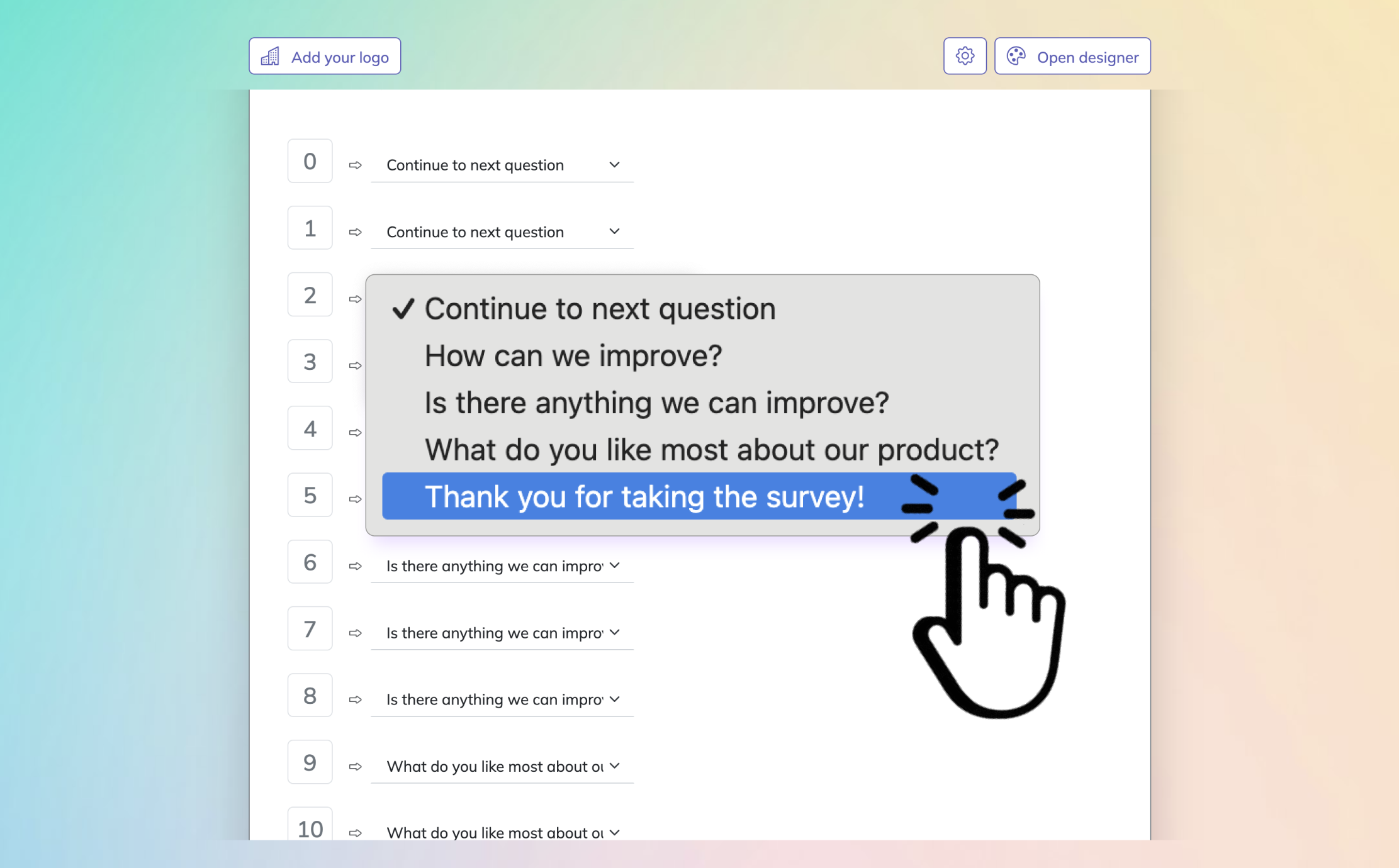
The best social media surveys start with one simple move: match each question to a business goal.
If you want audience research, ask about interests, habits, or pain points. If you want content optimization, ask what formats people prefer, what topics they want more of, and what makes them stop scrolling.
Here’s the thing: different goals need different formats.
Use multiple-choice for fast feedback and easy reporting.
Use rating-scale questions to measure satisfaction, interest, or brand perception.
Use yes/no when you need quick decisions.
Use ranking to compare preferences.
Use open-ended questions when you want context, wording, or unexpected insights.
On top of that, always match your social media survey form to the channel.
Instagram Stories polls work best for short, playful social media questions.
LinkedIn is great for audience research and professional feedback.
Email surveys are ideal if you need help creating survey content for owned media.
Survey Facebook questions can work well in community groups or with page followers.
Keep it short.
Social audiences have less patience than your favorite spreadsheet, so trim internet survey questions down to the essentials and save longer follow-ups for email or deeper research.
Sample questions
Is this survey trying to learn one specific thing, or is it trying to do five jobs in one tiny form?
Are your social media questions short enough to answer on a phone without thumb fatigue?
Have you checked whether your wording is neutral, clear, and free of accidental bias?
Will you segment results by platform, audience type, or campaign so your social media surveys tell you something useful?
Do you have a plan to use the feedback, or will it vanish into the digital sock drawer?
Best Practices for Writing and Using Social Media Surveys
Smart surveys are clear, quick, and actually useful
Why & When to Use
When you write social media surveys well, you get cleaner answers, better strategy, and fewer mystery results.
Here’s the thing: strong questions for social media engagement are not just about asking stuff. They are about asking the right stuff, at the right time, to the right people.
Dos
Do start with one clear objective, like testing content preferences or measuring customer satisfaction.
Do keep your social media questions short, specific, and mobile-friendly.
Do mix quantitative and qualitative questions for better insight.
Do segment responses by audience, platform, or campaign so patterns are easier to spot.
Do test wording before launch. A strong question is “Which post type helps you most: tips, tutorials, or news?” A weak one is “Do you like our super helpful content?”
Do give people a reason to respond, such as relevance, recognition, or a small incentive when appropriate.
Don’ts
Don’t ask too many questions in one social media survey form.
Don’t use vague, leading, or double-barreled wording like “Do you find our posts useful and entertaining?”
Don’t collect personal information unless it is necessary and clearly explained.
Don’t rely on survey feedback alone without checking performance data too.
Don’t ignore timing, audience targeting, privacy, or response bias.
Don’t run social media survey templates if you have no plan to use the results. Plus, reusable social media survey templates help, but thinking still needs to be invited to the meeting.
Sample questions
How will you group survey responses so your social media questions lead to clear next steps instead of a messy pile of opinions?
Which answers point to quick wins you can test right away in your content, campaigns, or customer experience?
Are you comparing survey feedback with performance data so your social media surveys reflect both what people say and what they do?
What will you change first based on the results: posting style, creative format, offer messaging, or response process?
How will you measure whether the changes inspired by your social media survey form actually worked?
Turn Social Media Survey Insights Into Action
Insights only matter when you actually use them
Why & When to Use
Once your social media surveys are done, your real job starts.
Here’s the thing: the best questions for social media engagement do not just collect opinions. They help you make smarter choices about content, community, and conversions.
Start by sorting responses into simple buckets so patterns are easier to spot.
Content preferences
Platform habits
Pain points
Purchase intent
Customer experience feedback
Plus, look for repeated themes, sharp complaints, surprise compliments, and gaps between what people expected and what they got.
Then prioritize what to do next.
Fix quick wins first, like unclear captions, weak posting times, or slow replies
Test bigger ideas next, like new content series, offer angles, or audience segments
Save low-impact suggestions for later so your strategy does not become a junk drawer with Wi-Fi
On top of that, turn findings into action you can measure.
Update content topics based on common interests
Improve campaigns using message or creative feedback
Refine support and community workflows from customer experience answers
Adjust overall strategy using patterns from your social media management questionnaire
Best of all, effective social media questions support better decisions only when answers lead to measurable action.
Related Surveys
29 Social Media Survey Questions
Explore 25 social media survey questions with practical sample prompts to help gather insights on...
31 Job Satisfaction Survey Questions
Explore **25 job satisfaction survey questions** with sample prompts to improve employee feedback...
29 Quantitative Survey Questions Guide
Explore 25 quantitative survey questions with sample questions, examples, and tips to build effec...