31 Remote Work Survey Questions
Discover 25 remote work survey questions with practical sample questions to improve engagement, gather insights, and shape better policies.
A remote work survey is a simple way to ask your team what is working, what is not, and where support can make remote work smoother, smarter, and more human. The right questions reveal better work.
In this guide, you’ll get practical work from home survey questions grouped by goal, including work from home questionnaire examples, remote employee engagement survey prompts, and hybrid-friendly ideas. Plus, you can use this outline to build a remote worker survey that fits fully remote or hybrid teams without reinventing the wheel, or try an online survey maker to get started faster.
Sample questions
How satisfied are you with your current remote work arrangement?
Do you feel remote work supports your ability to do your job effectively?
What is the biggest benefit you experience when working from home?
What is the biggest challenge you face in your remote work setup?
Would you prefer to remain fully remote, switch to hybrid, or return to the office more often?
Remote Work Satisfaction Survey Questions
A broad pulse check that actually helps you act
Why & When to Use
A remote employee engagement survey focused on satisfaction helps you measure how people really feel about their remote working arrangement, not just how productive they look on paper.
Use this kind of work from home questionnaire when you want a broad temperature check across your team. It works especially well for quarterly pulse checks, annual reviews, or after a major policy change like updated hybrid rules, meeting expectations, or home office support.
Here’s the thing, strong work from home survey questions can uncover where people feel supported and where friction is quietly building. That makes this a smart starting point if you are asking, what topics should I include in employee surveys for remote workers?
To make your remote work survey more useful, include both scaled and open-ended questions.
Rating-scale questions help you spot trends fast.
Open-ended questions show you the why behind the score.
Plus, segment results by department, tenure, and remote vs hybrid status so patterns do not get lost in the crowd.
On top of that, satisfaction data can reveal policy gaps around flexibility, communication, equipment, or workload. Sometimes one simple remote survey answer says, "everything is fine," while the comment below it basically waves a tiny red flag in pajama pants.
Sample questions
Do you feel motivated to do your best work while working remotely?
How connected do you feel to your team on a day-to-day basis?
Do you feel recognized for your contributions when working remotely?
Does your manager help you stay engaged and aligned with team goals?
How likely are you to recommend this company as a great place to work remotely?
Gallup research found hybrid workers report significantly higher engagement, better wellbeing, and lower turnover intentions than fully on-site remote-capable employees, supporting survey questions on connection and manager support. Source
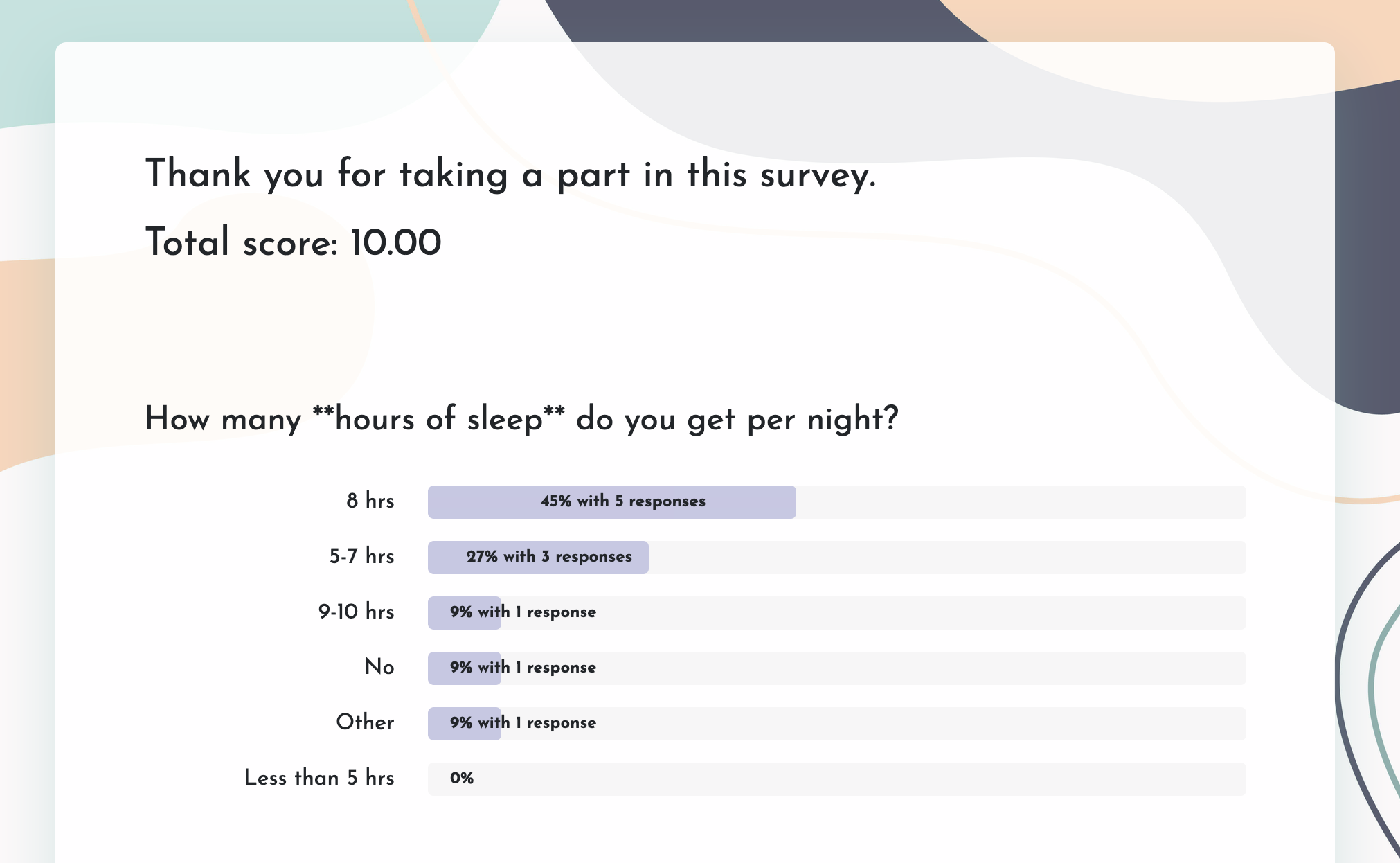
Create a remote work survey in 3 easy steps
Create a new survey
Open HeySurvey, an online survey tool and start with a blank survey or choose a remote work survey template from the button below these instructions. You can begin without an account, then sign in later when you’re ready to publish.Add questions
Click Add Question to include the questions you need. For a remote work survey, you might ask about productivity, communication, work-life balance, home office setup, and preferred work schedule. Use Choice, Scale, or Text questions to collect clear feedback. Mark important questions as required if you want every respondent to answer them.Publish survey
Preview your survey to check how it looks, make any final edits, and then click Publish. After publishing, HeySurvey gives you a shareable link so you can send the survey to your team or audience.
Remote Employee Engagement Survey Questions
The questions that reveal energy, not just effort
Why & When to Use
A remote employee engagement survey helps you understand more than output. It shows whether your people feel motivated, connected, valued, and willing to go the extra mile when no one is sharing the same office.
Use this type of work from home questionnaire when engagement scores dip, turnover starts creeping up, or leaders want a clearer read on morale across distributed teams. It is especially useful if you are building a team survey for remote teams and need honest feedback on how people are really doing.
Here’s the thing, strong work from home survey questions can uncover gaps in recognition, belonging, and alignment long before they turn into burnout or resignations. That makes this remote work survey a practical choice when you want to improve culture, not just measure it.
To get more value from your remote employee engagement survey, focus on patterns that connect feelings to outcomes.
Track whether low engagement lines up with weaker retention trends.
Compare survey responses with performance, absenteeism, and manager effectiveness.
Use a recurring pulse format so you can act quickly instead of waiting for an annual surprise party nobody wanted.
Plus, repeat the same core questions over time so you can spot movement clearly and respond before small morale issues become big remote worker survey headaches.
Sample questions
Do you receive the information you need to do your job on time?
Are communication expectations clear across your team?
How effective are your team’s current collaboration tools?
Do virtual meetings help you move work forward effectively?
Where do communication breakdowns happen most often in your remote workday?
A study of 61,182 Microsoft employees found remote work made collaboration networks more siloed and less dynamic, highlighting why survey questions should probe communication breakdowns and tool effectiveness (Nature Human Behaviour).
Remote Communication and Collaboration Survey Questions
The questions that catch teamwork friction before it turns into chaos
Why & When to Use
A strong work from home questionnaire should not just ask whether people are busy. It should show whether your remote team can share updates, collaborate smoothly, and avoid the kind of misalignment that quietly slows everything down.
Use these work from home survey questions when communication starts feeling clunky, projects stall, or people keep saying, "I thought someone else had that." That is your cue, and not the fun kind.
This type of remote employee engagement survey also works well after restructuring, rapid hiring, tool changes, or growing complaints about meeting overload. Plus, it fits nicely into a remote survey or remote working survey questions set that focuses on teamwork, clarity, and daily execution.
When writing this section of your remote work survey, make sure you look at how people communicate in real life, not just how leaders think they do.
Ask about synchronous versus asynchronous communication so you can see whether response expectations are realistic.
Include questions on tool fatigue, meeting quality, and whether documentation is clear and easy to find.
Use your remote worker survey to spot friction points by team, workflow, or handoff stage.
On top of that, if you are wondering what topics should i include in employee surveys for remote workers, communication habits are always near the top of the list.
Sample questions
Do you have enough uninterrupted time during the day to focus on important work?
How productive do you feel when working from home compared with other work settings?
What remote work obstacles most affect your performance?
Do you have clear priorities and expectations for your work each week?
Are there tools, resources, or process changes that would help you work more effectively from home?
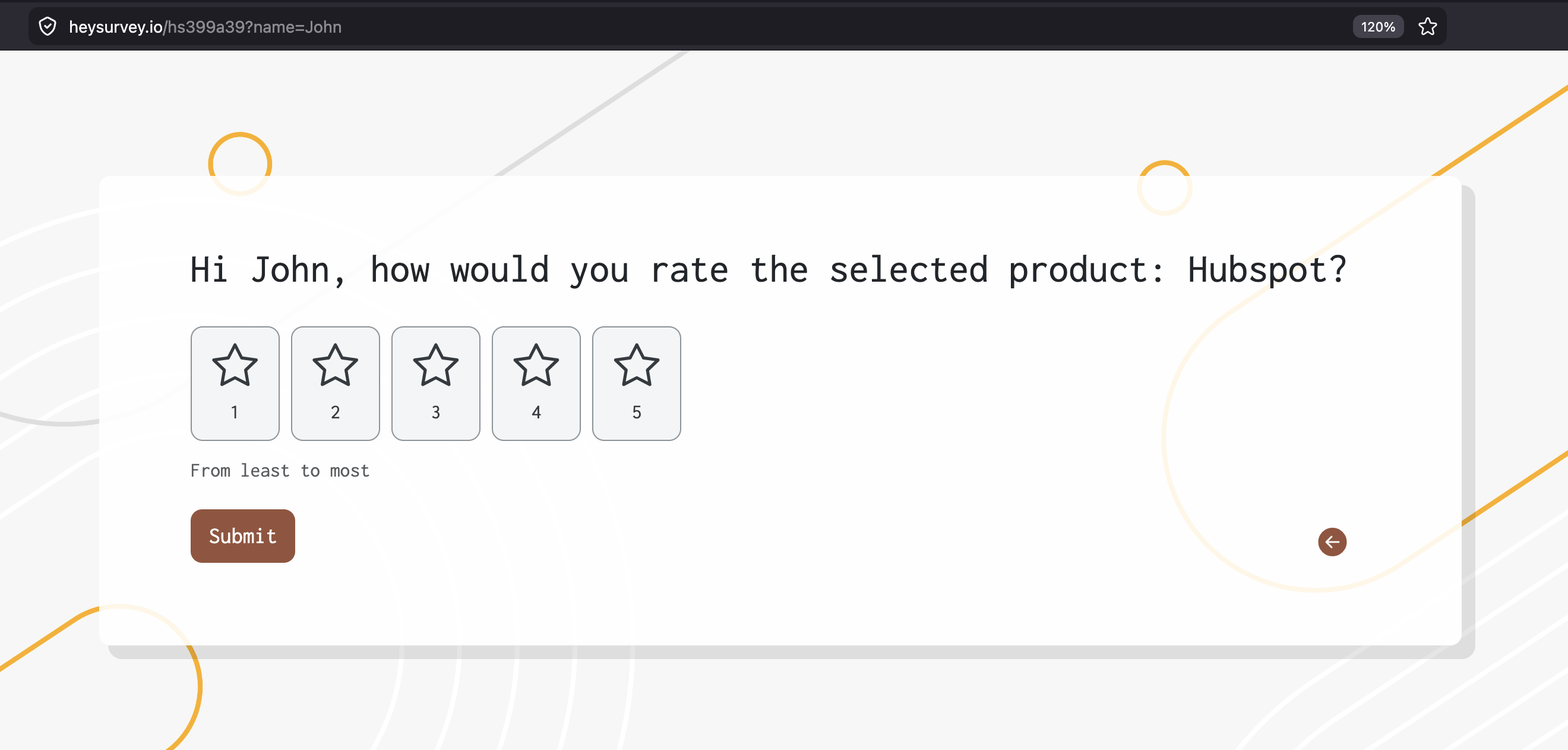
Work From Home Productivity and Performance Survey Questions
The questions that reveal whether people can actually do great work, not just look busy
Why & When to Use
These work from home survey questions help you understand whether employees have the right conditions to perform well, stay focused, and produce solid work without burning through their patience by 10 a.m.
Use this part of your work from home questionnaire when leaders want a clearer view of efficiency, workload, focus time, and the real barriers that slow output. Plus, it fits naturally into working from home survey questions and work from home survey questions for employers that aim to improve performance, not just measure it.
Here’s the thing, a useful remote employee engagement survey should not treat productivity like a personality trait. It should explore whether systems, priorities, and daily work habits actually support good results.
When you build this section, make room for context around perceived productivity so people can explain the "why" behind their answers.
Pair rating questions with open-ended follow-ups so you learn what is helping or hurting performance.
Ask about process blockers, unclear approvals, and tool friction, not just output or speed.
Keep the wording neutral so your remote work survey feels supportive instead of accusatory.
Use these work from home survey questions to uncover patterns in workload, distractions, and expectations.
On top of that, if your survey makes people feel like they are on trial, the answers will get weird fast.
Sample questions
How manageable is your workload in your current remote work environment?
Are you able to maintain healthy boundaries between work and personal life?
How often do you feel stressed or burned out while working remotely?
Do you feel comfortable taking breaks and using time off when needed?
What support would most improve your well-being while working remotely?
Research shows remote-work productivity is strongly linked to clear work–life boundaries and supportive home conditions, making survey questions on workload, burnout, and breaks essential (source).
Remote Work Well-Being and Work-Life Balance Survey Questions
The questions that show whether remote work feels sustainable, not just technically possible
Why & When to Use
This part of your work from home questionnaire measures stress, burnout risk, boundaries, and whether remote work still feels healthy over time.
A smart remote employee engagement survey should not only ask if people are getting work done. It should also ask whether they can keep doing it without running on fumes and leftover coffee.
Use these work from home survey questions during heavy workloads, big organizational changes, team restructures, or when absenteeism starts creeping up.
Plus, this section belongs in any strong remote work survey strategy because well-being affects focus, retention, morale, and long-term performance.
Here’s the thing, people are more honest when sensitive work from home survey questions feel neutral and safe.
Use calm, non-judgmental wording so employees do not feel pushed to downplay stress.
Include anonymity protections whenever possible to improve honesty in your remote survey.
Ask about burnout signals like after-hours work, skipped breaks, and too little recovery time.
Add open-ended follow-ups so your remote worker survey captures what support people actually need.
Revisit this section regularly if your remote working survey shows rising pressure or fading work-life boundaries.
On top of that, if your survey only asks about productivity and skips well-being, you may miss the part where your best people are quietly overheating.
Sample questions
Do you have a reliable internet connection that supports your daily work needs?
Is your home workspace comfortable and suitable for productive work?
Do you have the hardware and software you need to do your job effectively?
How satisfied are you with the remote collaboration and communication tools provided?
What additional equipment or support would improve your work-from-home setup?
Home Office Setup and Remote Tools Survey Questions
The questions that reveal whether your remote team can actually work smoothly, not just log in and hope for the best
Why & When to Use
This part of your work from home questionnaire checks whether employees have the basics for remote success, including equipment, internet reliability, workspace comfort, and the right software.
It is a practical piece of any remote employee engagement survey because even the most motivated person cannot do great work while battling weak Wi-Fi and a kitchen chair that feels personally offended by their spine.
Use these work from home survey questions during onboarding, stipend reviews, remote policy rollouts, and recurring operational audits.
Plus, this section works especially well in a remote worker survey when you want to spot blockers before they turn into missed deadlines, frustration, or support tickets with a dramatic backstory.
Here’s the thing, a strong remote work survey should cover ergonomic, technical, and security needs, not just whether someone has a laptop.
Ask about must-have issues first, like device performance, secure access, internet stability, and essential software.
Separate those from nice-to-have improvements, like better lighting, a second monitor, or upgraded accessories.
Include questions about collaboration tools so your remote survey captures friction in daily communication.
Use results to guide budgeting, equipment stipends, and support prioritization in your remote working survey.
On top of that, when you ask clearly, you get data you can actually fix.
Sample questions
How many days per week would you prefer to work remotely versus in the office?
Which types of work are easier for you to complete remotely?
Which activities are more effective for you in the office?
Do current hybrid expectations feel clear and fair?
What changes would improve your hybrid work experience?
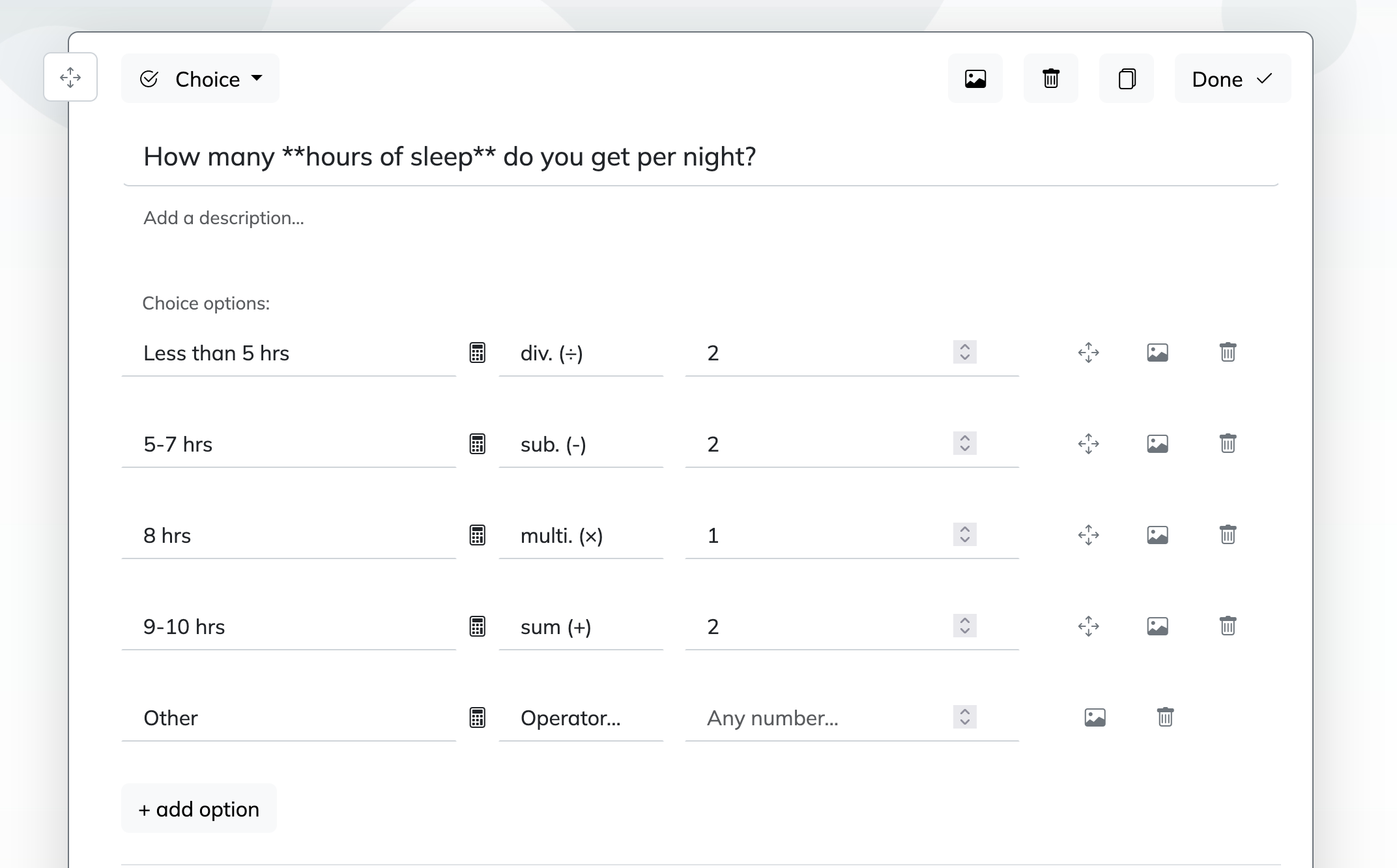
Hybrid Working Questions for Flexibility and Office Policy
The questions that help you build a hybrid plan people can actually follow without needing a decoder ring
Why & When to Use
Hybrid working questions help you shape policies that feel fair, clear, and useful for people splitting time between home and the office.
They fit naturally into a work from home questionnaire or remote employee engagement survey when you need to understand how flexibility works in real life, not just in a leadership slide deck.
Use these work from home survey questions before launching hybrid schedules, revising attendance expectations, or evaluating whether office space is being used well.
Plus, they help you spot where policy confusion, uneven treatment, or role-by-role differences may be creating frustration.
Here’s the thing, the best hybrid working questions do not assume every role needs the same setup.
Ask about consistency so employees know whether expectations are applied evenly across teams.
Explore equity and role-based flexibility, since some jobs need more in-person time than others.
Include questions about commute burden, collaboration needs, and schedule autonomy in your remote work survey.
Clarify that policy decisions should balance employee preference with business needs, not just whichever opinion was loudest in the last meeting.
On top of that, this section strengthens any remote survey by showing where flexibility supports performance and where clearer rules would help people plan better.
Sample questions
How long should a work from home questionnaire be to get useful answers without draining people?
How often should you run a remote employee engagement survey?
Which work from home survey questions should stay anonymous?
How can you benchmark results from one remote work survey against future surveys?
Should you pilot test a remote survey before sending it to everyone?
Best Practices for Writing and Running a Remote Work Survey
Good surveys are easy to answer and even easier to trust
Why & When to Use
Use these best practices when you want your work from home questionnaire or remote employee engagement survey to produce honest feedback you can actually use.
Here’s the thing, even strong work from home survey questions can flop if the survey is too long, too vague, or clearly headed for a dusty folder no one opens again.
Dos
Define one clear goal before writing questions, whether that is burnout, communication, tools, or policy clarity.
Keep your remote work survey short, usually 5 to 15 minutes, so completion rates do not fall off a cliff.
Use simple, neutral wording and mix rating-scale items with a few open-ended prompts.
Assure anonymity for sensitive topics like management, workload, and wellbeing.
Run your remote working survey on a steady cadence, such as quarterly or twice a year, so you can benchmark trends over time.
Tailor questions when needed for fully remote staff, hybrid teams, and managers.
Pilot test work from home survey questions with a small group first, because confusing wording loves to hide in plain sight.
Don’ts
Do not combine multiple issues in one question.
Do not flood people with repetitive surveys.
Do not ask for feedback if leadership is not ready to act.
Do not use leading language or ignore team and role differences.
Do not treat one remote worker survey as the whole story without follow-up context.
Plus, credibility comes from visible follow-through, not from sending a survey with very sincere fonts.
Sample questions
Which survey findings require immediate action?
What issues appear consistently across multiple teams or survey cycles?
Which problems can managers solve quickly without major budget approval?
How will you communicate survey results back to employees?
When will you run a follow-up remote survey to measure progress?
How to Turn Remote Work Survey Insights Into Action
Feedback only matters when you turn it into visible change
Why & When to Use
Use this section when your work from home questionnaire or remote employee engagement survey is done and you need to move from raw comments to real improvements.
Here’s the thing, collecting work from home survey questions is only half the job. A remote work survey becomes valuable when you analyze results, spot patterns, prioritize what matters most, and then actually fix something people can feel.
Start with themes that show up across teams, roles, or multiple survey cycles.
Plus, if a problem is both high impact and easy to solve, that is your low-drama, high-value win.
A smart response plan should include:
the top issues from your remote employee engagement survey
quick wins managers can own right away
larger changes that need leadership support or budget
a named owner, timeline, and success metric for each action
On top of that, close the loop with employees fast.
Tell them what you heard, what you are changing, and what will take longer, because silence after a remote survey is basically trust repellant.
Finally, treat every remote worker survey as part of a repeatable system.
Run follow-up work from home survey questions later to measure progress, refine priorities, and build a remote working survey process that gets sharper each round.
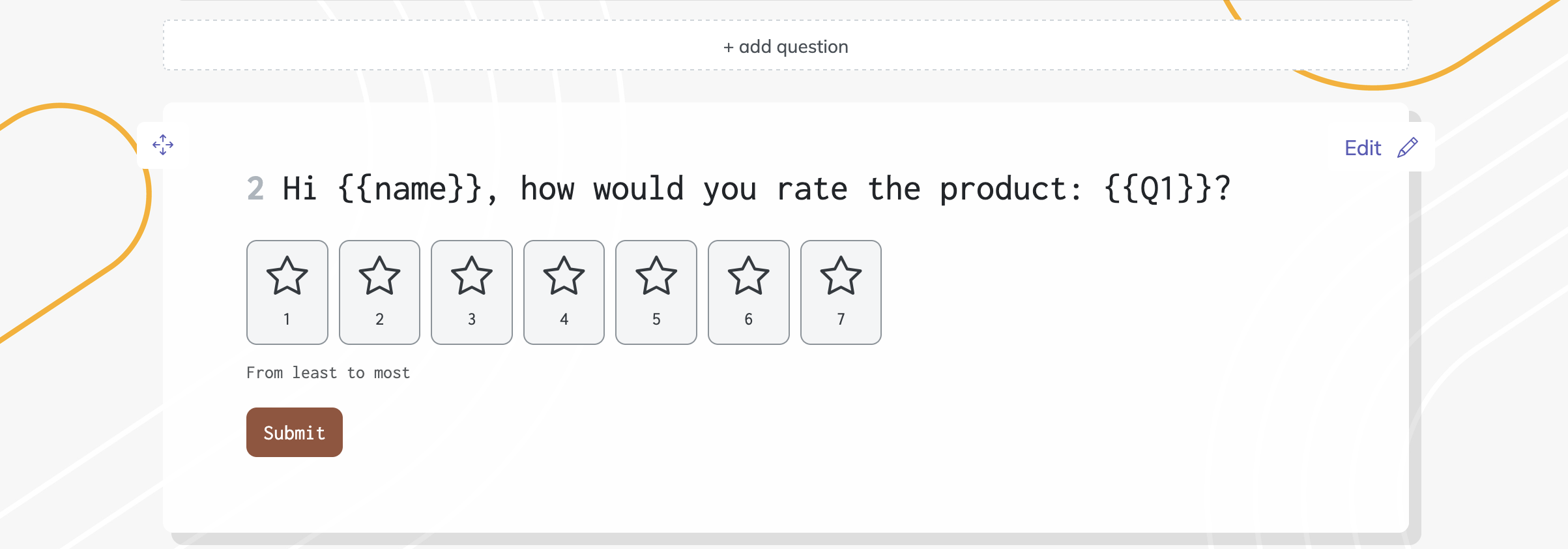
Related Employee Survey Surveys
28 Post Mortem Survey Questions
Explore 25 post mortem survey questions to uncover lessons, improve processes, and drive better r...
29 Change Readiness Survey Questions
Explore 25 sample questions for a change readiness survey, with keyword change readiness survey q...
29 Retreat Survey Questions
Explore 25 retreat survey questions with sample questions to gather honest feedback, improve gues...