29 Ranking Survey Questions
Explore 25 sample keyword ranking survey questions to measure SEO performance, uncover insights, and improve keyword rankings effectively.
If you want clearer survey answers, ranking questions examples are a smart place to start. Ranking questions ask people to place options in order by preference, importance, frequency, or priority.
Here’s the thing: ranking questions show what comes first, while rating questions let people score each item on its own. Plus, that makes rank order survey questions better when you need trade-offs, not just lots of 8s and 9s. A good online survey tool can help you build them quickly.
In this guide, you’ll see practical ranked survey questions, useful ranking question examples, and how to turn them into decisions without guesswork or a crystal ball.
Sample questions
Product Feature Prioritization Ranking Questions
Roadmap decisions get easier when you know what users would pick first.
Why & When to Use
These ranking questions examples help you see which features matter most when your roadmap is packed and your team cannot build everything at once.
Use ranking questions when you are comparing feature ideas, checking if your product direction makes sense, or sorting backlog items by real user value instead of internal guesses.
Here’s the thing: this is one of the most common ranked survey questions formats for SaaS companies, apps, and product teams because it forces clear trade-offs. That is handy when every feature sounds important in a planning meeting.
Keep the list short enough that people can rank it without getting tired or clicking at random.
A good rule is to focus on items that are distinct and easy to compare, not a giant buffet of overlapping choices. Too many options turns your survey into homework, and nobody asked for that.
Use mutually exclusive feature options so respondents are not choosing between near-duplicates.
Limit the number of items so people can rank accurately without fatigue.
Use the results to guide roadmap decisions, backlog priority, and feature validation.
5 Sample Questions
Rank the following product features from most valuable to least valuable for your daily workflow.
Please rank these upcoming feature ideas in order of importance to you.
Which improvements would most increase your likelihood of renewing? Rank them from highest to lowest impact.
Rank these product issues based on which should be fixed first.
Order the following integrations from most useful to least useful for your team.
Ranking questions should include as few items as possible—ideally fewer than 9–10—because ranking many options confuses respondents and reduces data quality (source).
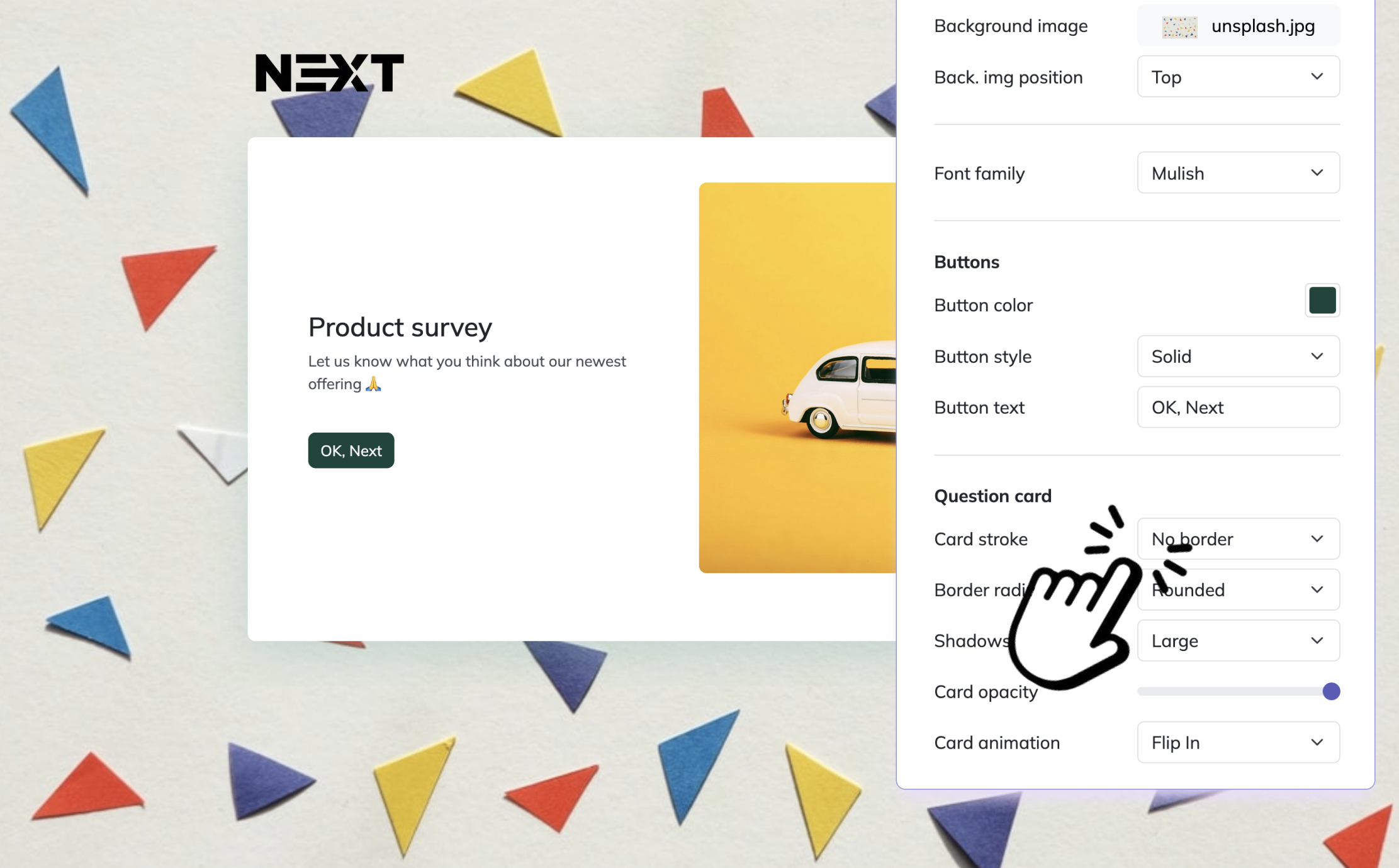
Creating a ranking survey in HeySurvey is quick, even if you’re new to the tool. You can start from a template using the button below, or build your own survey from scratch. For ranking questions, respondents will order items by preference, priority, or importance.
1. Create a new survey
Open HeySurvey and choose a template or a blank survey. If you already have a ranking survey template, click it to start editing right away.
2. Add questions
Click Add Question and select Ranking. Enter your question text, then add the items you want respondents to rank. You can add as many items as needed, and HeySurvey will require a unique rank for each one. Mark the question as required if you want to make sure every response is complete.
3. Publish your survey
Preview your survey to check the layout and ranking options. When everything looks good, click Publish to generate your shareable online survey tool link.
Customer Satisfaction Driver Ranking Questions
Sample questions
Rank the following factors based on how much they affect your overall satisfaction with our company.
Please rank these aspects of your support experience from most important to least important.
Order these purchase experience factors by what matters most when buying from us.
Rank the following service improvements in the order you would like us to address them.
Which customer experience elements most influence whether you recommend us? Rank them from highest to lowest importance.
These ranking questions examples help you find the real satisfaction levers.
Why & When to Use
Use ranked survey questions when you want to learn which parts of the customer experience shape satisfaction most, not just whether people feel happy or unhappy.
That makes these ranking questions useful when you need to decide what to improve first across service, speed, price, communication, or product quality.
Plus, they work especially well after key moments like a purchase, onboarding flow, or support interaction, when the experience is still fresh and customers can compare what mattered most.
Here’s the thing: ranking shows relative priority, not absolute satisfaction level.
So if someone ranks speed first, that does not automatically mean they are unhappy with speed. It means speed matters more than the other options, which is a very different signal.
To get the clearest insights from your ranking questions examples, keep the answer choices specific and easy to compare.
Use ranking to uncover which experience factors deserve attention first.
Compare results across touchpoints like onboarding, checkout, and support.
Pair rank order survey questions with an open-ended follow-up to learn why customers ranked items that way.
On top of that, pairing a rank question example with a short comment box gives you both the order and the story behind it, which is where the gold usually hides.
Rank-order questions reveal relative priorities rather than absolute satisfaction, helping identify which service attributes matter most in customer satisfaction surveys (source).
Brand Preference and Purchase Decision Ranking Questions
Sample questions
Rank the following factors based on what most influences your decision to buy from a brand.
Please rank these brand attributes from most important to least important when choosing between competitors.
Order the following sources of trust from most influential to least influential in your purchase decision.
Rank these promotional offers based on which would most likely motivate you to buy.
Rank the following content types by how helpful they are before making a purchase.
These ranking questions examples show you what actually nudges people toward “buy now.”
Why & When to Use
Use ranking questions when you want to uncover the real purchase drivers behind brand choice, not just collect a pile of “everything matters” answers.
They help you spot which factors truly separate one brand from another, whether that is price, trust, convenience, reviews, product quality, or delivery speed.
Plus, these ranked survey questions are especially useful in brand research, buyer behavior studies, market segmentation, and campaign planning.
When you use rank order questions examples to compare decision factors, you get a clearer view of what different audiences prioritize before they buy.
Here’s the thing: you should keep every rank question example tied to one decision context.
For example, ask about a first purchase or a repeat purchase, but do not mash both together like socks in a dryer.
To keep your ranking question examples useful, frame choices so respondents are comparing similar ideas in the same moment of decision.
Use ranking questions to identify the strongest purchase drivers and competitive differentiators.
Apply rank order survey questions to shape messaging, positioning, and conversion strategy.
Compare results by audience segment to see what matters most to new buyers, loyal customers, or deal-seekers.
On top of that, the insights from your ranking questions examples can help you decide what to emphasize in ads, landing pages, emails, and product pages.
Content and Communication Preference Ranking Questions
Sample questions
Rank the following content formats from most valuable to least valuable to you.
Please order these communication channels based on how you prefer to hear from us.
Rank these newsletter topics from most interesting to least interesting.
Which educational resources would you use most often? Rank them from first to last.
Rank the following message styles by which you find most persuasive.
These ranking questions examples help you see what people actually want to read, watch, click, and hear from you.
Why & When to Use
Use ranking questions here when you want to learn which content formats, channels, and message styles your audience values most.
That matters because people may like everything in theory, but your team probably does not have infinite time, budget, or magical content elves.
These ranked survey questions are especially useful for email strategy, blog planning, webinar topics, social content, and audience engagement research.
Plus, ranking questions examples in this category help you decide what deserves attention first when content resources are limited.
You can use rank order questions examples to compare preferences across things like videos, guides, newsletters, podcasts, live events, or short social posts.
On top of that, a strong ranking question example can show whether your audience prefers helpful how-to content, trend updates, case studies, or opinion-led messaging.
To make your ranking question examples even more useful, segment responses by:
Audience type
Lifecycle stage
Acquisition source
Here’s the thing: once you collect those answers, you can build smarter editorial calendars, improve your channel mix, and personalize communication without guessing.
That means your content works harder, your messaging feels more relevant, and your strategy gets a lot less shrug emoji.
Ranking questions are best when you need respondents to prioritize options, but they increase cognitive burden compared with rating scales for many respondents (source).
Event, Training, and Program Feedback Ranking Questions
Sample questions
Rank the following event sessions from most valuable to least valuable.
Please rank these workshop elements based on what helped you learn the most.
Order the following training improvements from highest to lowest priority.
Rank these event benefits based on which mattered most to you.
Which follow-up resources would be most useful after this program? Rank them from most to least helpful.
These ranking questions examples help you spot what participants valued most, so your next program can be smarter, sharper, and less powered by guesswork.
Why & When to Use
Use ranking questions after conferences, workshops, webinars, onboarding, or internal learning programs when you want clearer feedback on what worked best.
They are especially helpful when you need to evaluate sessions, program elements, and improvement priorities without getting a pile of vague "it was good" responses.
Plus, these ranked survey questions show you what people found most useful, not just what they liked well enough to politely clap for.
That makes them great for improving agendas, refining speaker selection, and shaping future program design with more confidence.
Here’s the thing: ranking question examples work best when people compare similar items, not a random mix of apples, microphones, and PDF handouts.
Keep your rank order survey questions focused on comparable elements like:
Sessions
Speakers
Activities
Resources
Follow-up materials
On top of that, these ordering questions examples can reveal whether attendees valued practical takeaways, presentation style, pacing, or post-event support most.
A strong ranking question example helps you decide what to repeat, what to fix, and what to quietly retire before the next round.
Employee Engagement and Workplace Priority Ranking Questions
Sample questions
Rank the following workplace factors based on what most affects your job satisfaction.
Please rank these benefits in order of value to you.
Order the following management behaviors by how much they influence your engagement.
Rank these professional development options from most to least important.
Rank the following reasons an employee might stay with a company from strongest to weakest.
These ranking questions examples help you see what employees value most, so you can improve the work experience without playing workplace detective.
Why & When to Use
Use ranking questions when you want to understand what matters most in an employee’s day-to-day experience, not just what gets a polite checkbox.
They work especially well for engagement surveys, retention research, benefits planning, leadership feedback, and culture assessments where priorities matter as much as opinions.
Plus, ranked survey questions help HR teams figure out what to improve first when budgets are limited and every change cannot happen at once.
That makes ranking question examples especially useful when you need to choose between better benefits, stronger manager support, clearer growth paths, or flexibility.
Here’s the thing: rank order survey questions only work well when the options feel fair, specific, and easy to compare.
To get better answers, keep your rank order survey questions focused on items like:
Benefits
Career growth options
Leadership behaviors
Workplace policies
Retention drivers
On top of that, frame each rank question example carefully so employees feel safe answering honestly and do not feel pushed toward a "correct" response.
Confidentiality and trust matter a lot here, because people are far more candid when they believe their responses will not boomerang back into a meeting invite.
Used well, ranking question survey formats can support smarter retention planning and a stronger EVP strategy by showing what your people want most first.
Ranking Survey Questions vs Rating, Multiple Choice, and Matrix Questions
Sample questions
Rank the following product updates from most useful to least useful.
Rate each of the following product updates on a scale from 1 to 5.
Which one of the following product updates matters most to you?
Select all of the following product updates you want us to build next.
Rank these service issues in the order you want resolved first.
The right survey format changes the kind of truth you get back.
Why & When to Use
Use ranking questions when you need clear priorities, not just general approval.
Here’s the thing: ranking questions force trade-offs, so respondents must choose what comes first, second, and last instead of giving everything the same gold star.
That makes ranking questions examples especially useful when you need to decide what to build, fix, improve, or fund first.
By contrast, rating questions measure intensity, like how useful, satisfying, or important each item feels on its own.
Multiple choice works best when you need one best answer, while select-all questions show breadth of interest without forcing a strict order.
On top of that, matrix questions help you evaluate several items across the same scale, but they are better for independent evaluation than priority setting.
Use ranked survey questions and rank order questions when comparison is the goal, such as:
Setting product roadmaps
Prioritizing service fixes
Comparing feature demand
Identifying top customer pain points
Choosing what to improve first
Plus, avoid a rank question example when you really need intensity, frequency, or stand-alone feedback.
If you want to know what users love most, use ranking question examples. If you want to know how much they love each item, rating is your friend, and yes, survey formats have personalities.
Best Practices for Writing Effective Ranking Survey Questions
Sample questions
Rank the following features from most important to least important.
Please order these purchase factors based on what matters most to you.
Rank these support improvements in the order you want us to address them.
Order the following content topics from most helpful to least helpful.
Rank these employee benefits from highest to lowest value.
Better ranking questions examples lead to cleaner data and fewer abandoned surveys.
Why & When to Use
Use this section as your practical playbook for writing ranking questions that people can actually finish without sighing dramatically at their screen.
Here’s the thing: well-written ranked survey questions improve data quality because respondents know exactly what they are comparing, why they are comparing it, and how to make the call.
Plus, strong ranking question examples help completion rates too, because short, clear, focused tasks feel easier than messy lists with fuzzy wording.
When you build rank order survey questions, follow these dos:
Keep answer choices limited so ranking stays manageable.
Use items that are distinct, comparable, and easy to understand.
Define the ranking criteria clearly, like importance, preference, likelihood, or urgency.
Randomize option order when it makes sense to reduce bias.
Segment results by audience, behavior, or lifecycle stage.
Test each rank question example with a small audience first.
And avoid these don’ts:
Don’t mix unrelated items in one list.
Don’t ask people to rank too many choices at once.
Don’t use vague wording without context.
Don’t focus only on the top-ranked item and ignore the full pattern.
Don’t use ranking question examples when ties are likely.
Don’t stack too many ranking questions into one survey, unless boredom is part of your research design.
How to Analyze Ranking Survey Results and Turn Insights Into Action
Sample questions
Rank the following improvements based on which we should prioritize first.
Please order these onboarding changes from most helpful to least helpful.
Rank these campaign messages based on which is most compelling.
Order the following support issues by urgency.
Rank these training resources from most to least valuable.
Great ranking questions examples are only useful when you turn the results into clear next steps.
Why & When to Use
Collecting ranking questions data is only half the job, because the real value shows up when you use it to make smarter decisions in product, marketing, CX, events, or HR.
Here’s the thing: ranked survey questions help you see relative priorities fast, without drowning in statistical soup.
Start by looking for items that appear at or near the top most often, since those usually signal the strongest opportunities for action.
Plus, do not stop at the overall average view, because subgroup differences can tell a much richer story.
Compare rankings by customer segment, team, location, role, or lifecycle stage.
Review changes across time periods to spot shifting priorities.
Pair ranking survey questions with comments, interviews, or behavior data for extra context.
Watch for items that rank high overall but low for a key audience.
Turn the top-ranked themes into a short, visible action plan.
On top of that, ranking question examples become much more powerful when you connect them to what people actually do, not just what they say.
If one message ranks first and also lifts clicks, that is your little green light, not a parade but close.
Finally, use ranked survey questions to prioritize what matters most, validate with follow-up research when needed, and tell respondents what changed, because feedback feels a lot more magical when people can see it working.
Turning Ranking Survey Insights Into Action
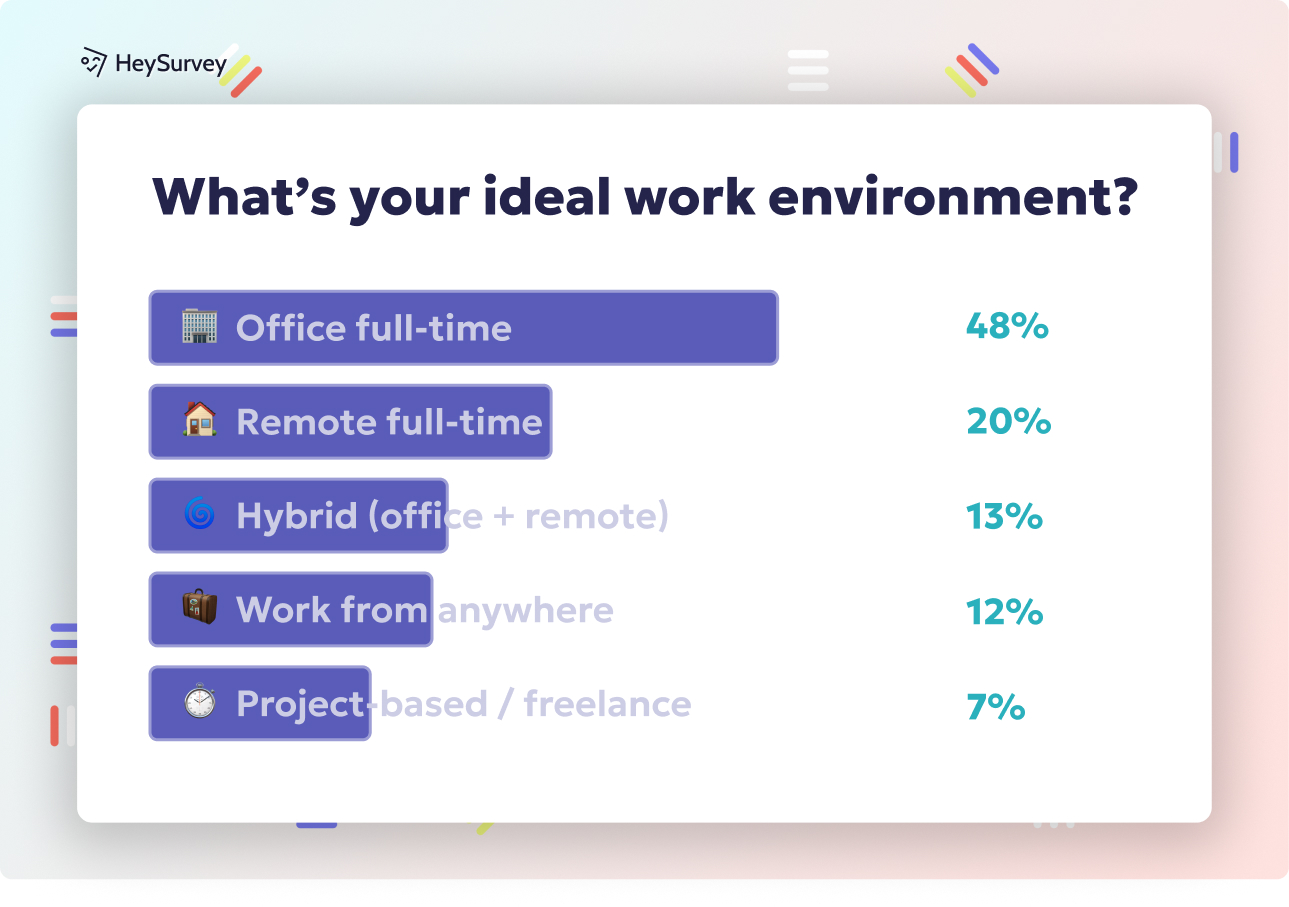
Ranking data becomes powerful when you use it to make clearer, faster decisions.
Why & When to Use
Here’s the thing: ranking survey questions help you see what matters most, not just what people kind of like in theory.
That makes them incredibly useful when you need to prioritize product updates, improve customer experience, sharpen brand messaging, plan content, or even make workplace changes that people will actually notice.
Once you have the results, turn the top-ranked themes into a short action roadmap.
Keep it practical, not fancy-pants.
Pick the 2 to 4 highest-priority themes.
Assign an owner to each one.
Define the next step, deadline, and success metric.
Note what you will measure after the change goes live.
Plus, share the findings with stakeholders in plain language.
Instead of dumping a chart on everyone and hoping for the best, explain what people ranked highest, what that likely means, and what action you recommend.
On top of that, use ranking insights as a starting point, not a finish line.
The real value shows up when results lead to clear next steps, clear ownership, and follow-up measurement.
A smart final move is to run a follow-up survey later to validate whether your changes improved the rankings, shifted priorities, or solved the original problem.
Good ranking questions give you direction, but action is what earns the gold star.
Related Surveys
29 Social Media Survey Questions
Explore 25 social media survey questions with practical sample prompts to help gather insights on...
31 Job Satisfaction Survey Questions
Explore **25 job satisfaction survey questions** with sample prompts to improve employee feedback...
29 Quantitative Survey Questions Guide
Explore 25 quantitative survey questions with sample questions, examples, and tips to build effec...