31 Mutually Exclusive Survey Questions: A Complete Guide
Explore 25 mutually exclusive survey questions, with clear examples and practical tips to help you create answer choices that don’t overlap and gather more accurate insights.
Ever faced a survey where two answer options both fit, but you could only choose one? You shouldn’t need a coin toss to give an accurate answer.
Mutually exclusive survey questions have response options that don’t overlap, so you can select one accurate answer.
Here’s the thing: clear choices start with thoughtful question design. You’ll explore five practical question formats, examples of dichotomous questions, and a double barreled question example that shows what to avoid.
Plus, you’ll get sample questions and simple rules for writing response options with an online survey maker that leave no room for confusion.
What Makes Survey Answer Options Mutually Exclusive?
Sample questions
Which age group are you in? Select one.
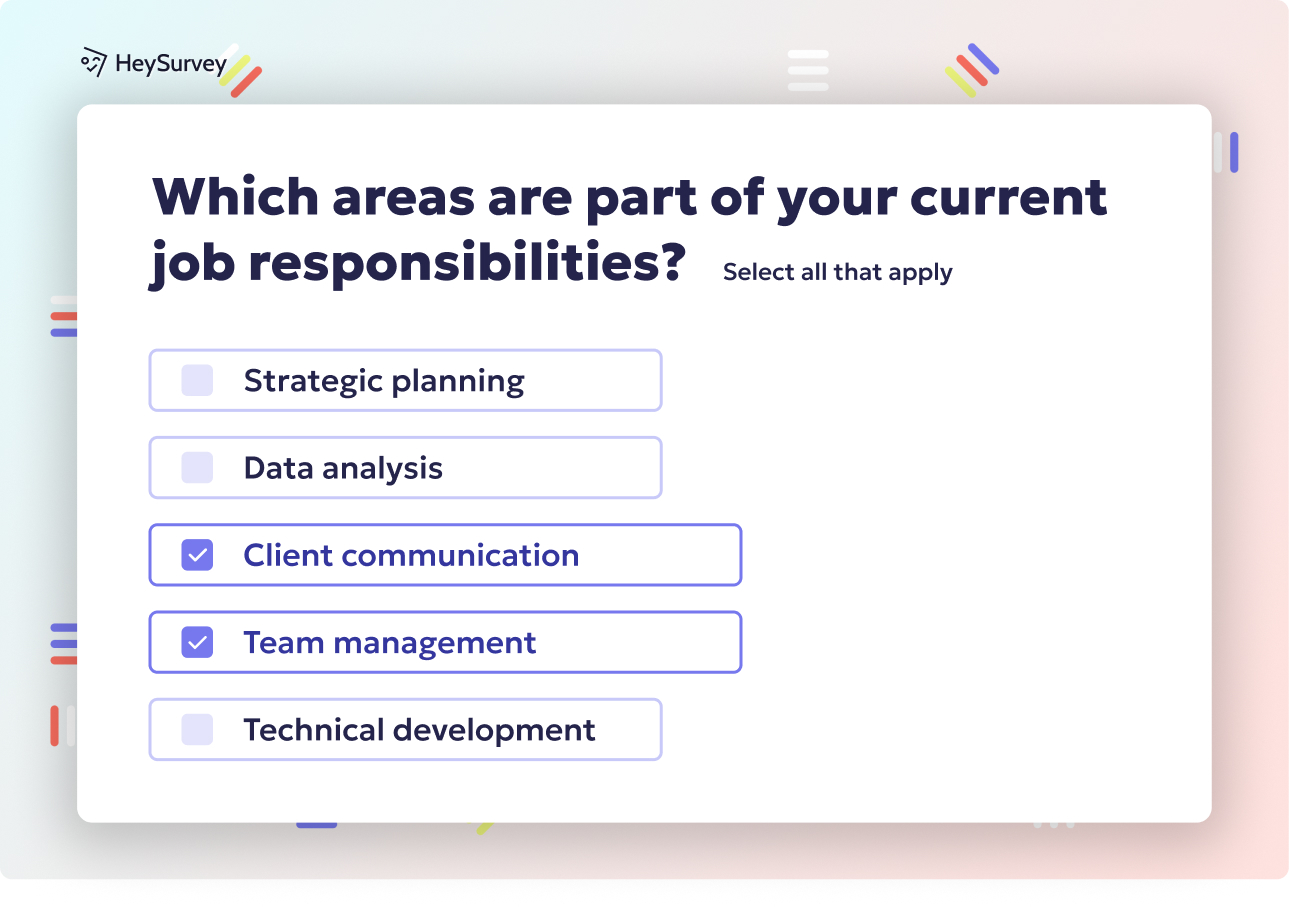
Which devices do you use? Select all that apply.
Mutual exclusivity is about answer options that don’t overlap, not whether separate survey questions cover related topics.
Here’s the distinction you need:
Mutually exclusive options let you choose one answer without fitting another.
Collectively exhaustive options cover every relevant answer, so you aren’t left without a suitable choice.
Strong single-choice questions usually need both.
Consider these faulty age ranges: “18–25, 25–34, 35–44.” If you’re 25, you fit two categories, and no birthday magic can resolve that overlap.
Use these instead: “Under 18, 18–24, 25–34, 35–44, 45–54, 55–64, 65 or older.”
Adding “select one” cannot fix overlapping categories; you need to rewrite the options.
Why & When to Use.
Use mutually exclusive options when you need one clear response per person, including when reviewing dichotomous survey questions examples with two possible answers.
When browsing dichotomous questions examples, check that both choices are distinct and cover the relevant possibilities. A double barreled question example presents a different issue: combining two things you might answer differently.
Plus, don’t force one answer when several legitimately apply. For the device question above, you could use both a phone and a laptop, so multi-select is the appropriate format.
Closed-ended survey questions should offer nonoverlapping options covering all reasonable answers—mutually exclusive and collectively exhaustive categories, recommends Pew Research Center. Learn more about close-ended survey questions.
Create a mutually exclusive survey in HeySurvey
1. Start a new survey
Click the button below these instructions to open the template. HeySurvey will take you to the Survey Editor, where you can review and rename your survey. You can also start from an empty survey or type in your questions instead using our online survey tool.
2. Add your questions
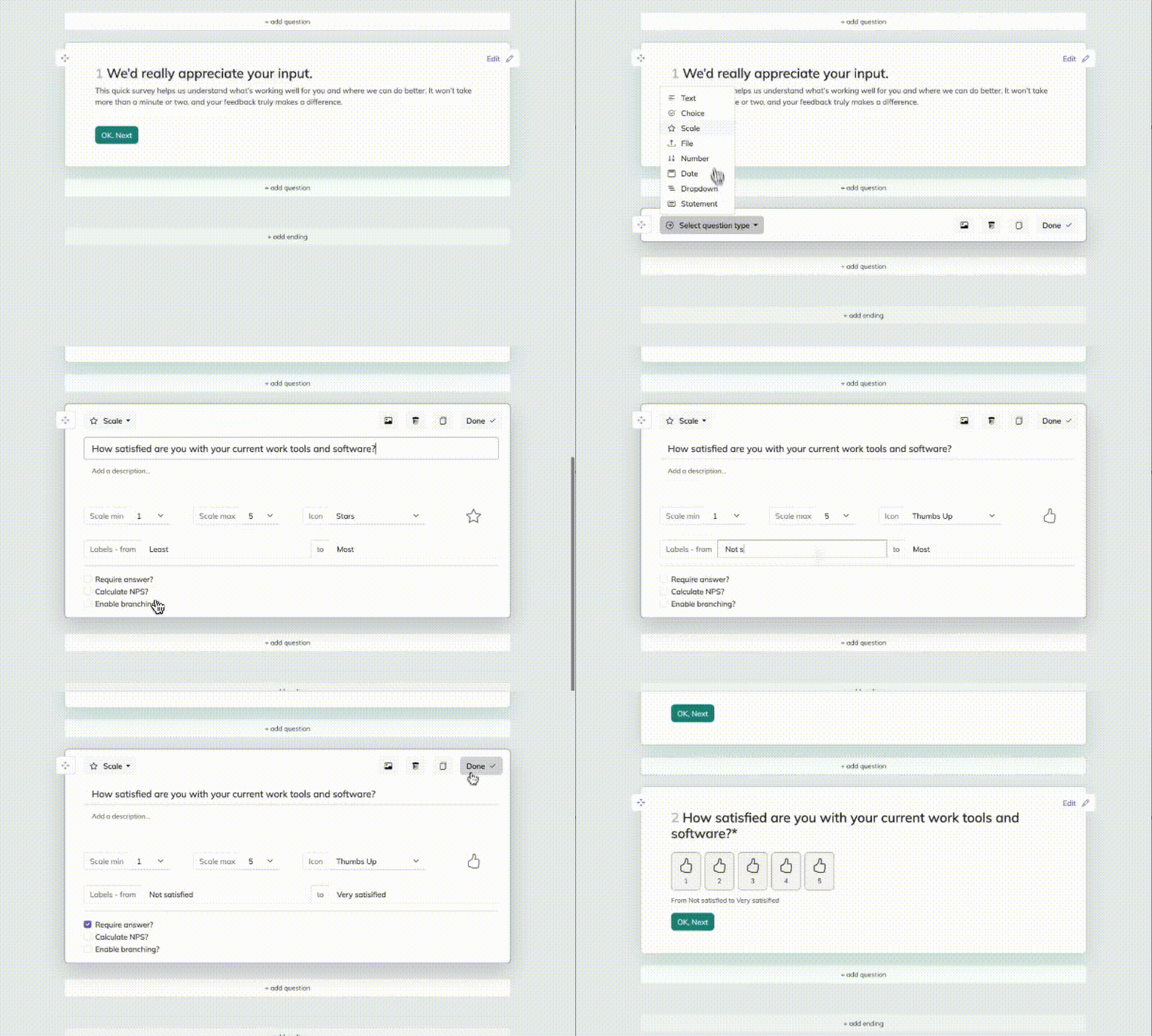
Click Add Question to create a question, or edit the template’s existing ones. For answers that should be mutually exclusive—where respondents can choose only one option—use a Choice question and leave Multiple selections turned off. Add your answer options, such as “Yes,” “No,” and “Not sure.” Mark the question Required if respondents must select an answer before continuing. Repeat for any other questions, then use Preview to check how the survey looks and works.
3. Publish your survey
When everything is ready, click Publish. You’ll need a HeySurvey account to publish and view responses. After publishing, copy the shareable link and send it to respondents.
Dichotomous Survey Questions: Examples With Two Clear Answers
Sample questions
- Have you purchased from our website in the past 30 days?
Yes
No
- Is your current subscription billed monthly or annually?
Monthly
Annually
Show this question only to subscribers on those two billing schedules.
Dichotomous questions offer exactly two response options.
These dichotomous survey questions examples show how a defined timeframe or eligible audience helps make binary answers reliable. The purchase question sets a clear window, while the subscription question excludes people whose billing schedules don’t fit. See more close-ended survey questions for examples with defined response options.
Here’s the thing: “Have you ever used our service?” may leave you guessing if you cannot remember. Try a shorter, relevant timeframe or allow “Not sure.”
If you need “Not sure” or “Not applicable,” include it, but the item is no longer strictly dichotomous.
Don’t squeeze complex attitudes into yes/no answers. “Are you satisfied with our price and support?” is a double barreled question example: those two topics need separate questions, not a survey-sized straitjacket.
Why & When to Use.
Use these dichotomous questions examples as models for:
Eligibility screening.
Factual checks.
Simple behavior segmentation, such as buyers versus nonbuyers.
Plus, two clear choices require little respondent effort and make percentage comparisons straightforward.
They reveal whether something happened, but usually not why or to what degree. Add a follow-up when you need that detail.
Pew Research Center recommends survey response options that never overlap and cover all reasonable answers (source).
Single-Choice Categorical Questions: Identify One Primary Answer
Sample questions
- Which channel led you to make your most recent purchase?
Search engine
Social media
Email
Recommendation from another person
Another channel
I do not remember
- Which device did you use to complete your most recent online order?
Smartphone
Tablet
Desktop or laptop computer
Another device
I do not remember
Unlike the two-option format in dichotomous survey questions examples, these questions offer several categories while asking for one primary answer.
Anchoring each question to your most recent purchase keeps you from combining several shopping experiences into one response.
For channels, you’re asking which source prompted the purchase, not every touchpoint along the way. Your survey doesn’t need the purchase’s entire autobiography.
Keep categories at a consistent level of detail: offer “Social media,” rather than listing it alongside “Instagram.”
Plus, “Another channel” or “Another device” covers missing categories, while “I do not remember” gives you an honest option when recall fails.
Treat channel answers as recalled influence, not verified marketing attribution.
Why & When to Use.
Use this format when you need:
Channel analysis based on a primary source.
Device segmentation for a specific transaction.
One primary preference or behavior.
Switch to multi-select when your research genuinely needs every applicable category, such as all channels encountered before purchasing.
Numeric Range Questions: Create Non-Overlapping Answer Bands
Sample questions
- How many online orders did you place in the past 30 days?
0
1
2–4
5–9
10 or more
- On how many days in the past seven days did you use our app?
0 days
1–2 days
3–4 days
5–6 days
7 days
Unlike dichotomous questions examples, numeric ranges let you group respondents by activity level rather than a two-option answer. See more quantitative survey research question examples.
Use non-overlapping answer bands: “1–5” followed by “5–10” leaves anyone answering five with two valid choices. Five doesn’t need a second home.
Specify units, a recall period, and clear boundaries, including an open-ended top band when needed. Include zero whenever no activity is possible.
For whole-number counts, “1–5” and “6–10” work. Continuous measurements need different boundaries, such as “$0 to less than $50” and “$50 or more.”
Plus, keep each question focused: “How many orders and app visits?” is a double barreled question example, not one usable count.
Collect exact values when precise calculations matter; grouped answers lose detail.
Why & When to Use.
Use ranges when you need:
Purchase-frequency or usage-intensity segments.
Easier answers when exact recall is difficult.
Numerical groups rather than precise values.
Choose range widths that support your decisions, not simply tidy-looking intervals.
Pew Research Center recommends exhaustive, non-overlapping survey response categories, ensuring respondents have appropriate options without multiple valid choices (source).
Rating-Scale Questions: Measure One Attitude at a Time
Sample questions
- How satisfied are you with the delivery time of your most recent order?
Very dissatisfied
Somewhat dissatisfied
Neither satisfied nor dissatisfied
Somewhat satisfied
Very satisfied
Not applicable: I have not received the order
- The checkout process was easy to complete.
Strongly disagree
Somewhat disagree
Neither agree nor disagree
Somewhat agree
Strongly agree
I did not complete checkout
Unlike dichotomous questions examples with two choices, rating scales capture intensity.
Use one attitude per question. “How satisfied are you with delivery speed and packaging?” is a double barreled question example: your package might arrive quickly but look like it wrestled a raccoon.
Clearly labeled points represent distinct positions, though people may interpret subjective labels differently. Balance positive and negative choices, separate neutral opinions from missing experience, and keep scale direction consistent throughout your questionnaire.
Plus, agreement with an ease statement measures perceived ease, while a direct satisfaction question measures satisfaction. Those constructs are not interchangeable.
Why & When to Use.
Choose rating scales when you need to:
Measure satisfaction, perceived effort, or attitudes beyond the two-choice answers in dichotomous survey questions examples.
Track trends using consistent wording, response labels, and scale direction.
Identify intensity, then add a follow-up question to understand why someone chose that rating.
Hybrid Questions: Combine a Single Choice With an Optional Explanation
Sample questions
- What was the main reason you canceled your subscription?
Price
Missing features
Reliability problems
No longer needed the service
Another reason: please specify
- Did you resolve your issue using the help center?
Yes
No
Optional follow-up: What helped you succeed, or what prevented you from resolving the issue?
Here, hybrid questions means closed-ended questions paired with an open-ended response opportunity, though terminology varies.
“Main reason” asks you to prioritize when several reasons apply. Keep “Another reason” as one selectable category with an attached text field, not a competing second answer.
Like other dichotomous questions examples, the help-center item offers two choices. Adding an explanation gives dichotomous survey questions examples more context without turning your survey into homework.
Keep follow-ups neutral and optional unless your research requires an explanation. Unlike a double barreled question example, this structure separates tasks instead of asking you to judge two things with one answer.
Why & When to Use.
Use this format when you need:
Comparable categories plus context explaining why someone selected an answer.
Written responses that reveal recurring themes and suggest missing categories for future surveys.
Plus, budget time to review and categorize those comments: useful detail takes more work than counting selections.
Best Practices for Mutually Exclusive Survey Questions: Dos and Don’ts
Sample questions
Did you purchase anything through your personal account in September 2026? Yes / No.
How satisfied are you with our price?
How satisfied are you with our customer support?
Useful dichotomous questions examples give you one clear decision. Your answer options should not make respondents play “guess what we meant.”
Dos
Define the subject, timeframe, and unit: which purchase, account, period, or behavior?
Test boundaries so no value fits two ranges or falls between them.
Cover realistic answers; add “Other,” “Not applicable,” or “Do not know” only for distinct needs.
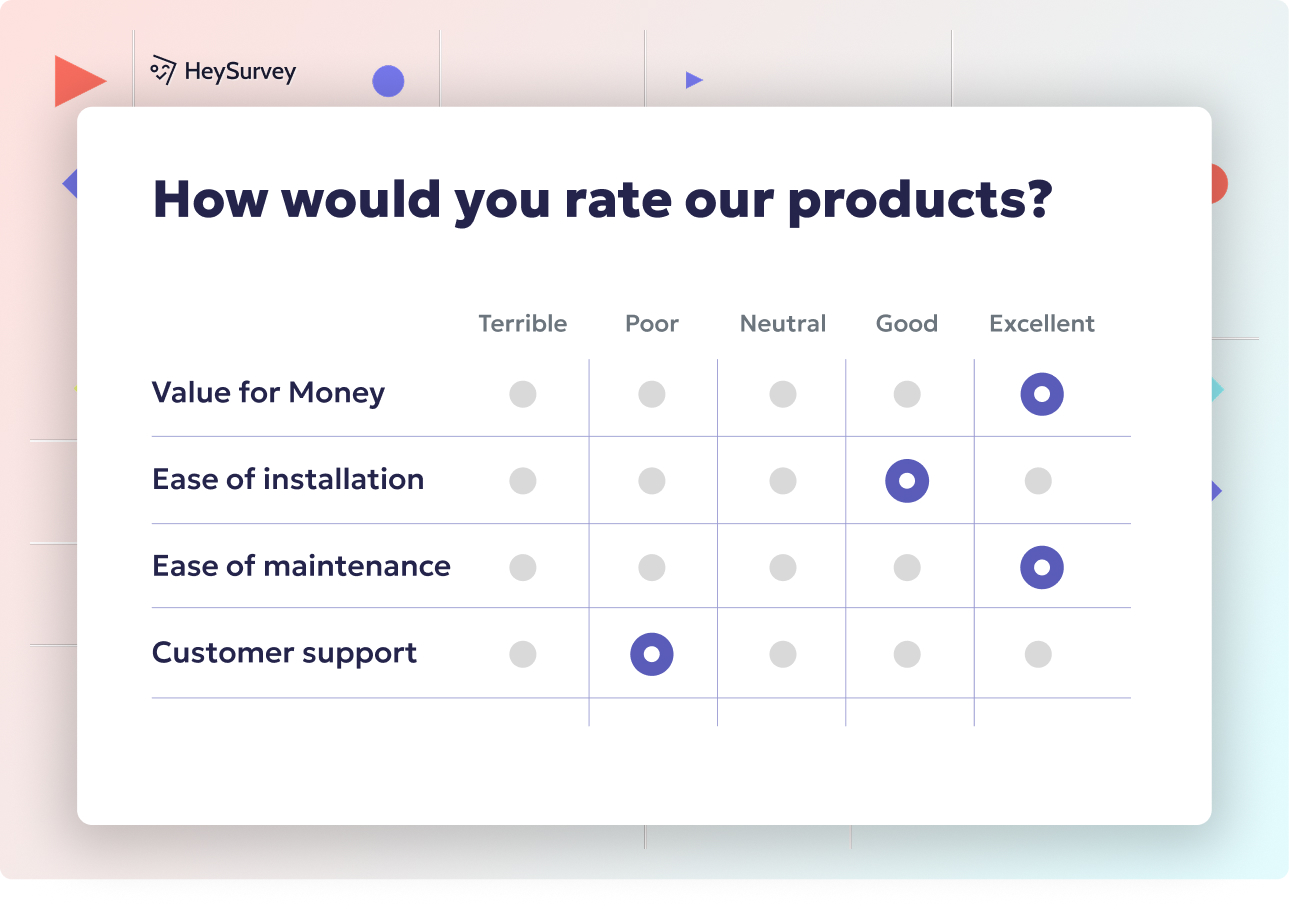
Ask about quality, delivery, price, and support separately.
Pretest with representative respondents; ask where they hesitated or found competing answers.
Match your goal: single choice for one answer, multi-select for genuinely multiple answers.
Don’ts
Confuse exclusivity with completeness: non-overlapping options can still miss valid answers.
Mix broad categories with subcategories, such as “Advertising” and “Social media advertising.”
Treat neutral, unknown, and not applicable as interchangeable.
Force binary answers when reality needs more options; revise the format or eligibility.
Copy this double barreled question example: “How satisfied are you with our price and customer support?” Split it into questions 2 and 3 above.
Assume tidy percentages prove respondents could answer accurately.
Why & When to Use.
Use this checklist before launch or when reviewing dichotomous survey questions examples. Plus, check that two choices genuinely fit your audience before borrowing any dichotomous questionnaire example.
Turn Survey Insights Into Action
Sample questions
Did checkout prevent you from completing your purchase today? Yes / No.
Was the feature you needed available? Yes / No.
Did you experience a reliability issue this week? Yes / No.
Turn your dichotomous questions examples into an accountable action plan, not another spreadsheet gathering digital dust.
First, review skipped answers, unusually frequent “Other” selections, and respondent feedback. These can reveal missing categories, confusing wording, or options that overlap.
Plus, compare relevant segments, such as new versus returning customers, but treat small-sample differences as clues rather than conclusions.
Connect recurring findings to decisions:
Investigate reliability complaints. Owner: engineering lead. Metric: reported failures per 1,000 sessions. Review date: November 30, 2026.
Prioritize a recurring missing feature. Owner: product manager. Metric: percentage reporting that unmet need. Review date: November 30, 2026.
Review the checkout stage causing friction. Owner: checkout lead. Metric: abandonment rate at that stage. Review date: November 30, 2026.
When tracking trends, preserve wording and response options. Document necessary changes, including splitting a double barreled question example into separate items, because comparisons may change.
Why & When to Use.
Use this process after reviewing dichotomous survey questions examples and collecting responses. Mutually exclusive options improve interpretability, but useful insights also require complete choices, clear wording, and a concrete action plan.
How to Turn Survey Insights Into Action
Better answer choices give you better decisions, which is a lovely shortcut nobody complains about.
Why & When to Use
When your response options are clean, your reporting gets cleaner too.
That is the real payoff behind site:heysurvey.io searches for a mixed questionnaire example and survey response options mutually exclusive exhaustive questionnaire design source advice.
Mutually exclusive survey questions help you segment people correctly, spot trends faster, and make decisions without second-guessing whether two categories stole answers from each other.
Plus, better questionnaire design response options mutually exclusive exhaustive source habits lead to more trustworthy reporting, clearer customer or employee insights, easier prioritization, and fewer data-cleaning headaches.
Use this approach first on the questions that matter most:
Demographics that shape segmentation and reporting.
Screener questions that decide who continues.
Core KPI questions tied to product, brand, or employee decisions.
Here’s the thing: if older surveys include overlapping categories, audit them before your next wave.
On top of that, document simple rules for future questionnaire design consistency so your team writes options the same way every time.
A practical checklist helps:
Review existing items for overlap, gaps, and fuzzy wording.
Revise high-impact questions first.
Keep response-option rules in a shared guide.
Re-test before launch.
Concise takeaway: if answer choices are not mutually exclusive survey questions, your insights become harder to trust, compare, and act on.
Related Question Design Surveys
31 Quantitative Survey Research Questions Examples
Explore 25 quantitative survey research questions survey questions example for clear, data-driven...
29 Good Survey Questions
Explore 25 good survey questions with sample answers, examples, and tips to create effective surv...
31 Survey Questions Mistakes
Avoid survey questions mistakes with 25 sample questions, tips, and examples to improve your surv...